
How Do You Clean Battery Acid Off Terminals
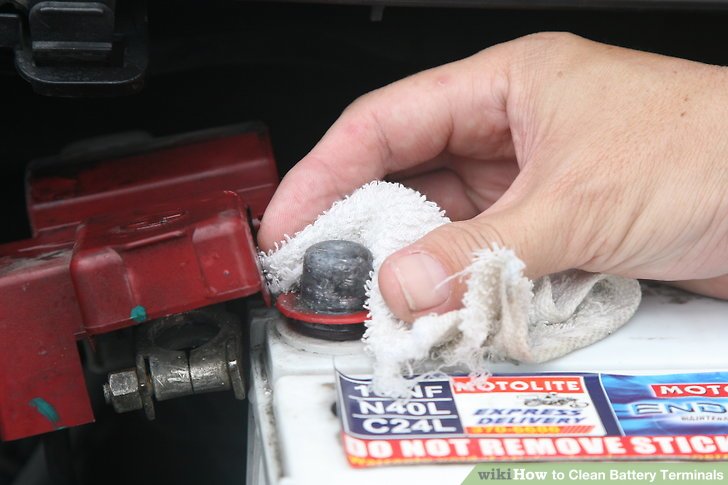
Hey there! Having trouble with that white, green, or bluish gunk building up on your car battery terminals? That's battery acid corrosion, and it's a pretty common problem. Don't worry, it's usually easy to fix, and addressing it promptly can save you from bigger headaches down the road, like a car that won't start. In this article, we'll walk you through the steps of safely and effectively cleaning battery acid off your terminals.
Understanding Battery Terminal Corrosion
First, let's understand what's happening. Your car battery contains sulfuric acid, which is essential for its operation. However, small amounts of this acid can leak out in the form of vapor, especially around the terminals. This vapor reacts with the metal of the terminals and surrounding components, creating corrosion. This corrosion acts as an insulator, reducing the flow of electricity and potentially causing starting problems, dimming lights, and even damage to your electrical system. Ignoring it is like letting a small leak turn into a flood – better to nip it in the bud!
There are several reasons why corrosion happens:
- Overcharging: Overcharging the battery can cause the electrolyte to boil and vent, releasing acid.
- Loose Connections: Loose terminal connections can create small electrical arcs that accelerate corrosion.
- Age: As batteries age, they are more prone to leaks and corrosion.
- Environmental Factors: Exposure to humidity and extreme temperatures can also contribute to corrosion.
Identifying the Problem
The most obvious sign of battery corrosion is the visible build-up around the terminals. Look for:
- White, green, or bluish powder or crystal-like deposits.
- Corrosion extending onto the battery cables.
- Difficulty starting your car.
- Dim headlights or other electrical issues.
If you notice these symptoms, it's time to inspect and clean your battery terminals.
Safety First!
Before you begin, safety is paramount. Battery acid is corrosive and can cause burns. Follow these precautions:
- Wear safety glasses or goggles: Protect your eyes from splashes.
- Wear gloves: Acid-resistant gloves are ideal, but even rubber gloves will offer some protection.
- Work in a well-ventilated area: The fumes from the battery can be irritating.
- Avoid skin contact: If acid gets on your skin, rinse it immediately with plenty of water.
- Disconnect the battery: This prevents accidental short circuits.
Tools You'll Need
Gather these tools before you start:
- Wrench (usually 10mm or 13mm): For loosening and removing the battery terminal clamps.
- Battery terminal cleaner or a wire brush: Specifically designed for cleaning battery terminals. A stiff-bristled brush can also work in a pinch.
- Baking soda: To neutralize the acid.
- Water: For rinsing.
- Petroleum jelly or battery terminal protector spray: To prevent future corrosion.
- Rags or paper towels: For cleaning and drying.
- Optional: Battery terminal puller (if the terminals are stuck).
Step-by-Step Cleaning Process
Now, let's get those terminals clean!
- Disconnect the Battery:
Using the wrench, loosen the nut on the negative (-) terminal first and carefully remove the cable. Tuck the cable away from the terminal to prevent accidental contact. Repeat this process for the positive (+) terminal. Always disconnect the negative terminal first and reconnect it last to avoid short circuits.
- Prepare the Cleaning Solution:
Mix a solution of baking soda and water in a small container. A good ratio is about one tablespoon of baking soda to one cup of water. This mixture will neutralize the acid and make it safe to handle.
- Apply the Cleaning Solution:
Dip the battery terminal cleaner or wire brush into the baking soda solution and thoroughly scrub the battery terminals and the inside of the terminal clamps. You should see the corrosion fizzing and dissolving. You can also pour the baking soda solution directly onto the terminals and cables, letting it sit for a few minutes before scrubbing. Be careful not to get any baking soda solution inside the battery cells.
- Rinse Thoroughly:
Once you've scrubbed away the corrosion, rinse the terminals and clamps with clean water to remove any remaining baking soda residue. Dry everything thoroughly with rags or paper towels.
- Clean the Battery Tray:
Inspect the battery tray for any corrosion. If present, clean it with the baking soda solution and rinse thoroughly.
- Reassemble the Battery:
Reconnect the battery cables in the reverse order of removal. Attach the positive (+) terminal first, then the negative (-) terminal. Make sure the connections are tight but not overtightened. Overtightening can damage the terminals.
- Apply a Protective Coating:
After reconnecting the battery, apply a thin layer of petroleum jelly or battery terminal protector spray to the terminals and clamps. This will help prevent future corrosion by creating a barrier against moisture and air.
Preventing Future Corrosion
Cleaning your battery terminals is a good start, but preventing future corrosion is even better. Here are some tips:
- Regular Inspections: Check your battery terminals periodically (every few months) for signs of corrosion.
- Protective Coating: Apply petroleum jelly or battery terminal protector spray after each cleaning.
- Tighten Connections: Ensure the terminal clamps are securely fastened to the battery posts.
- Avoid Overcharging: If you use a battery charger, follow the manufacturer's instructions and avoid overcharging the battery.
- Battery Terminal Protectors: You can purchase felt washers treated with anti-corrosion compounds to place around the terminals.
When to Seek Professional Help
While cleaning battery terminals is usually a simple DIY task, there are times when you might want to consult a professional:
- Severe Corrosion: If the corrosion is extensive and has damaged the battery cables or terminals, it's best to have a mechanic replace them.
- Battery Issues: If you're experiencing other battery problems, such as a battery that won't hold a charge, have a mechanic diagnose the issue.
- Uncertainty: If you're uncomfortable working with batteries or unsure about any of the steps, seek professional assistance.
Cost Considerations
The cost of cleaning battery terminals yourself is minimal, usually just the cost of baking soda, water, and a wire brush (if you don't already have one). A battery terminal cleaner costs around $5-$10, and petroleum jelly is inexpensive. Battery terminal protector spray is about $10-$15.
If you choose to have a mechanic clean your battery terminals, the cost will typically range from $20 to $50, depending on the shop and the extent of the corrosion. Replacing corroded battery cables or terminals can add to the cost. A new battery can range anywhere from $100 to $300, depending on the battery type and your vehicle's needs.
In Conclusion
Cleaning battery acid off your terminals is a simple but important maintenance task that can help keep your car running smoothly. By following these steps and taking preventative measures, you can avoid costly repairs and ensure your battery stays in good condition. Remember to always prioritize safety and seek professional help when needed. Good luck, and happy driving!