
How Do I Program My Garage Door To My Car
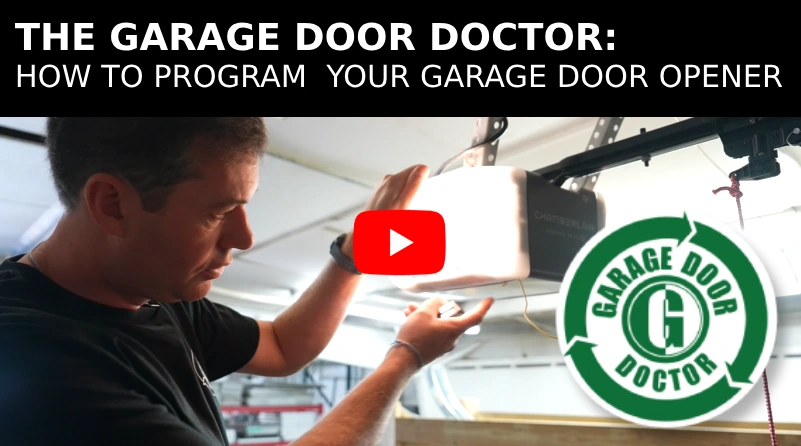
So, you've got a sweet ride and a garage. Naturally, you want them integrated. No more fumbling for that bulky remote – it's time to program your garage door opener directly to your car. But hold your horses, speed racer! The process isn't always as straightforward as flooring it on the Autobahn. It varies depending on your vehicle and the type of garage door opener you have. Let’s dive into the nitty-gritty.
Universal Garage Door Opener Systems: The Main Contenders
Most modern cars come equipped with a built-in universal garage door opener, the most common being HomeLink®. However, some manufacturers use their own proprietary systems, although they often function similarly. Understanding which system you have is the first step to conquering this technological hurdle.
HomeLink® vs. Car2U® vs. Generic Systems
HomeLink® is the industry standard, found in vehicles from Audi to Volvo. Car2U® is less common, often appearing in older Mercedes-Benz models. Generic systems, usually integrated into the car's infotainment screen, may offer brand-specific instructions.
Spec Table: Universal Garage Door Opener Systems
| Feature | HomeLink® | Car2U® | Generic Systems |
|---|---|---|---|
| Vehicle Compatibility | Wide range of manufacturers | Primarily Mercedes-Benz (older models) | Brand-specific |
| Learning Process | Generally straightforward, often requires "learn" button on opener motor | Can be more complex, requires specific key sequence | Varies greatly; consult vehicle manual |
| Rolling Code Support | Yes, supports rolling code openers (most modern openers) | Yes, supports rolling code openers | Depends on the system; check documentation |
| Number of Programmable Buttons | Typically 3 | Typically 3 | Varies |
Programming Your Garage Door: A Step-by-Step Guide
While the details vary, the general process remains similar across systems. Let’s break it down:
- Clear Existing Memory (Recommended): For a fresh start, simultaneously press and hold the two outer buttons on your car's opener system until the indicator light flashes rapidly. This clears any previously programmed codes.
- Training the System: Hold your original garage door remote about 1-3 inches away from the button you want to program in your car. Press and hold both the remote button and the car's button simultaneously. Watch the indicator light on your car. It will usually flash slowly, then rapidly, indicating the code has been learned.
- Rolling Code Challenge: If your garage door opener has rolling code technology (a security feature that changes the code each time the remote is used), you'll need to sync your car to the opener motor itself. Locate the "learn" or "smart" button on your garage door opener motor (usually on the back panel). Press this button. You'll then have a limited time (usually 30 seconds) to press the programmed button in your car repeatedly (usually 2-3 times, pausing briefly between presses). The garage door should activate, indicating successful programming.
- Test and Confirm: Press the programmed button in your car. Your garage door should open or close. If not, repeat steps 2 and 3 carefully.
Troubleshooting Common Issues
Sometimes, things don't go according to plan. Here are some common issues and their solutions:
- The indicator light doesn't flash: Check the battery in your original garage door remote.
- The system won't learn the code: Ensure you're holding the remote close enough to the car's system. Also, try pointing the remote at different angles.
- The rolling code synchronization fails: Make sure you press the "learn" button on the garage door opener motor within the allotted time. Also, try pressing the button in your car more or fewer times. Some openers require more than two presses.
- My car doesn't have a universal garage door opener: Consider purchasing an aftermarket universal remote that clips to your visor.
Pros and Cons: In-Car Garage Door Openers
Let's weigh the advantages and disadvantages:
Pros:
- Convenience: No more searching for the remote.
- Security: Reduces the risk of losing the remote or having it stolen.
- Clean Look: Eliminates clutter on your visor.
Cons:
- Complexity: Programming can be tricky, especially with rolling codes.
- Vehicle Dependency: The opener is tied to your car.
- Potential Battery Drain: Some systems might slightly drain the car's battery.
Real-World Driving Impressions (and Garage Door Impressions!)
Having a programmed garage door opener is a game-changer. Imagine pulling into your driveway after a long day. No more fumbling, just a quick press of a button and you're home. The convenience is undeniable. However, the frustration of a failed programming attempt can be equally powerful. Patience is key! With a little persistence, you'll be enjoying the seamless integration of your car and garage in no time.
Consider this: a recent test drive with a 2023 BMW M3 (with HomeLink®) yielded a seamless programming experience with a Chamberlain rolling code opener. However, an older 2010 Mercedes-Benz C-Class (Car2U®) required multiple attempts and a deep dive into the owner's manual to successfully pair with a Genie opener. The difference was night and day! Newer systems generally offer a more user-friendly experience.
Furthermore, the placement of the buttons in the car matters! Some are conveniently located on the rearview mirror, while others are tucked away in the overhead console. Ease of access contributes significantly to the overall user experience.
Ultimately, programming your garage door to your car is a worthwhile endeavor, enhancing both convenience and security. Just be prepared for a potentially bumpy ride, and consult your owner's manual for specific instructions.
Fun Note: Speaking of garage doors...which car do you think *sounds* the best echoing inside a garage? Is it the throaty roar of a V8, the high-pitched whine of a turbocharger, or the silent hum of an electric motor? Let the debate begin!