
How To Program Vehicle Garage Door Opener
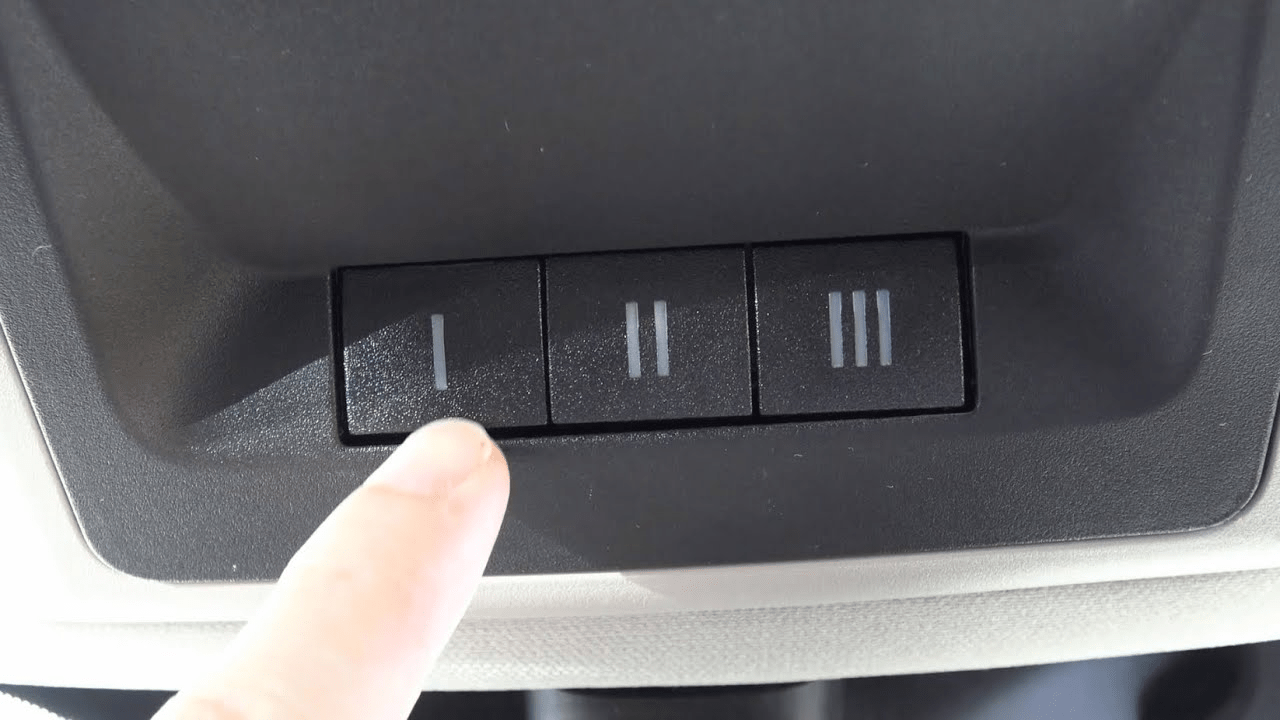
Integrating your garage door opener with your vehicle's built-in system is a convenience that many modern car owners appreciate. No more fumbling for a separate remote – with a properly programmed system, opening and closing your garage door becomes a seamless part of your driving experience. This article provides a comprehensive guide on how to program your vehicle's garage door opener, covering various systems and troubleshooting tips.
Understanding the Technology: Homelink and Beyond
The most prevalent integrated garage door opener system is Homelink. Developed by Gentex Corporation, Homelink is a universal transceiver that can learn the radio frequency codes of most garage door openers. However, other manufacturers also offer integrated systems, often proprietary, but generally functioning on the same principles. Regardless of the brand, the goal is the same: to transmit a radio frequency signal that activates your garage door opener.
Programming Your Homelink System: A Step-by-Step Guide
Programming your Homelink system typically involves these steps. Keep in mind that specific instructions may vary slightly depending on your vehicle's make and model, so always refer to your owner's manual for precise details.
- Clear Existing Programming (Recommended): Before programming, it's good practice to clear any previous programming. Simultaneously press and hold the two outer Homelink buttons until the indicator light flashes rapidly. This process usually takes around 20-30 seconds.
- Synchronize with Your Garage Door Opener Remote: Position your vehicle close to the garage door (usually in the driveway). Hold your garage door opener remote about 1-3 inches away from the Homelink buttons. Simultaneously press and hold both the desired Homelink button and the button on your garage door opener remote. Watch the Homelink indicator light. Initially, it will likely flash slowly, then faster, and finally become solid. A solid light indicates successful programming.
- Rolling Code Consideration: Many modern garage door openers use rolling code technology, which changes the transmission code each time the remote is used. This enhances security and prevents unauthorized access. If your garage door opener uses a rolling code, you'll need to perform an additional step.
- Learn Mode on the Garage Door Opener: Locate the "Learn" or "Smart" button on your garage door opener motor unit in the garage. This button is usually located on the back or side of the unit and may be behind a light cover. Press this button. You typically have a 30-second window to complete the next step.
- Final Synchronization: Immediately after pressing the "Learn" button, return to your vehicle and press the programmed Homelink button repeatedly (2-3 times) until the garage door activates. This final step completes the synchronization process.
Troubleshooting Common Issues
Programming issues can arise. Here are some common problems and solutions:
- Slow Flashing Light, No Activation: This often indicates a weak battery in your garage door opener remote. Replace the battery and try the programming process again.
- Homelink Button Not Responding: Ensure the vehicle's ignition is on (accessory mode is usually sufficient). Also, double-check that you've cleared any previous programming correctly.
- Garage Door Opener Doesn't Have a "Learn" Button: Older garage door openers may not have a rolling code feature or a "Learn" button. In this case, the synchronization process stops after step 2. Consult your garage door opener's manual for specific instructions for older models. In rare cases, an adapter module may be required.
- Incompatible Frequency: Although Homelink is designed to be universal, some garage door openers may operate on frequencies that are not compatible. This is rare but possible. Check the operating frequency of your garage door opener and compare it to the Homelink system's capabilities (usually found in the owner's manual).
Advanced Systems and Considerations
Some luxury vehicles feature more advanced integration, including the ability to control multiple garage doors or even integrate with smart home systems. These systems might offer additional features like remote monitoring or scheduled opening/closing. Always consult your vehicle's owner's manual for details on these advanced capabilities.
For mechanics and workshop professionals, understanding the Homelink system and its programming procedures is crucial for providing comprehensive service to customers. Being able to diagnose and resolve programming issues can significantly enhance customer satisfaction. Similarly, knowledge of rolling code technology and its implications for programming is essential.
Successfully programming your vehicle's garage door opener provides convenience and enhances your driving experience. By following these steps and troubleshooting tips, you can seamlessly integrate your garage door operation with your vehicle's systems.