
How To Replace Volkswagen Key Fob Battery
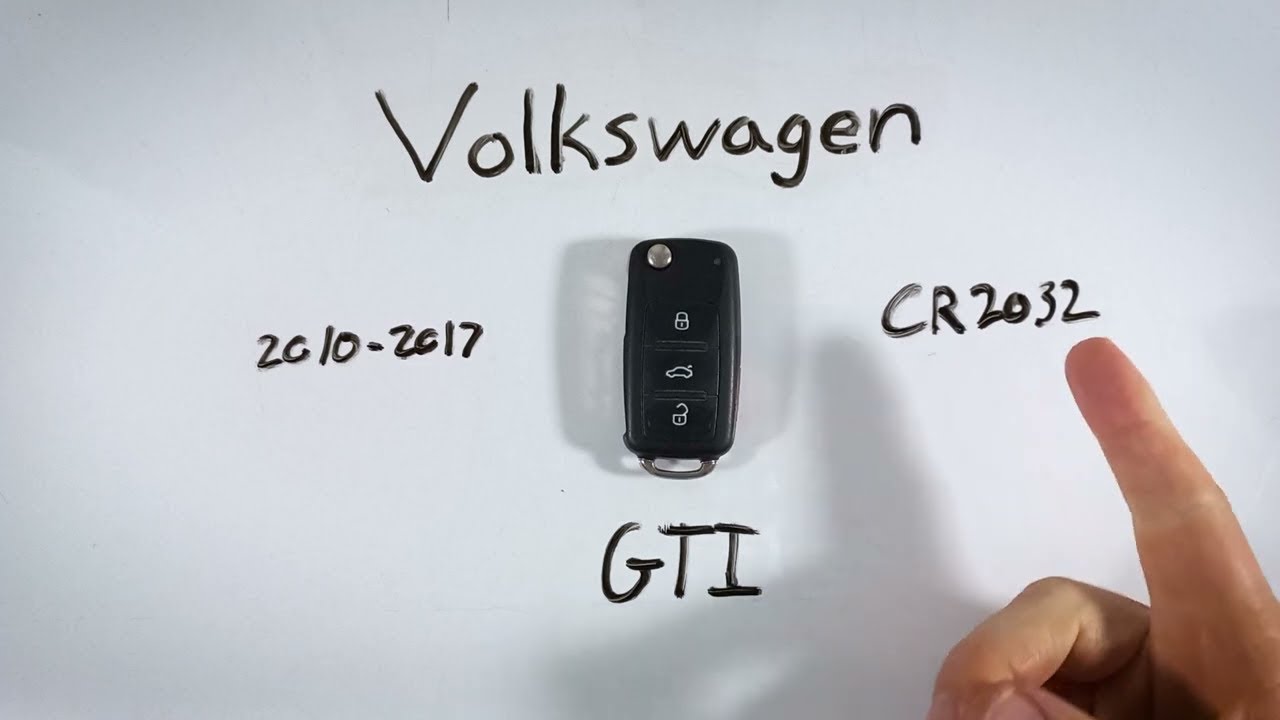
The humble key fob. We take it for granted, but without it, our modern vehicles are essentially immobile. From unlocking doors to starting the engine on push-button start models, the key fob is an integral part of the driving experience. And like any battery-powered device, the battery inside your Volkswagen key fob will eventually need replacing. Fortunately, this is a simple DIY task that most owners can accomplish with minimal tools and effort. This guide will walk you through the process, ensuring you can keep your VW key fob working optimally.
Identifying the Correct Battery
Before you even think about disassembling your key fob, the most crucial step is identifying the correct replacement battery. Volkswagen uses a variety of key fobs across its model range, spanning from the Golf and Jetta to the larger Atlas and Tiguan. The battery type can vary, but the most common ones are the CR2032, CR2025, and CR2016. Refer to your owner's manual for the specific battery type required for your vehicle. If you don't have the manual, you can usually find the information online on Volkswagen's official website or by searching your model and year along with "key fob battery type".
Using the wrong battery can lead to malfunctions or even damage to the fob's internal circuitry. So, take the time to confirm the correct specification. These button cell batteries are readily available at most drug stores, supermarkets, and electronics retailers. Buying a quality brand, like Duracell or Energizer, is recommended for longer life and reliable performance. Expect to pay between $5 and $10 for a single battery.
Tools Needed for the Replacement
Replacing a key fob battery is a relatively simple procedure. Here’s what you'll need:
- Small Flathead Screwdriver or Pry Tool: This will be used to carefully open the key fob casing. A plastic pry tool is preferable to avoid scratching the plastic, but a small flathead screwdriver will work if used carefully.
- Replacement Battery (CR2032, CR2025, or CR2016): As discussed above, ensure you have the correct battery type.
- Clean Cloth: For wiping away any fingerprints or debris.
Step-by-Step Battery Replacement Guide
Now, let's get down to the actual replacement process. Remember to work on a clean, well-lit surface to avoid losing any small parts.
- Open the Key Fob: Most VW key fobs have a small notch or seam where the two halves of the casing meet. Using your flathead screwdriver or pry tool, gently insert it into this notch and carefully twist or pry to separate the two halves of the fob. Some fobs might require you to slide a small cover off first before you can access the internal components.
- Locate the Battery: Once the fob is open, you'll see the battery compartment. The battery is usually held in place by a small clip or bracket.
- Remove the Old Battery: Use the flathead screwdriver or your fingernail to gently pry the old battery out of the compartment. Pay attention to the battery's orientation (positive side up or down) as you remove it. This is crucial for installing the new battery correctly.
- Install the New Battery: Insert the new battery into the compartment, ensuring it's oriented correctly (matching the orientation of the old battery). The battery should snap or slide securely into place.
- Reassemble the Key Fob: Carefully align the two halves of the key fob casing and press them firmly together until they snap back into place. Ensure there are no gaps or loose areas. If your fob required sliding a cover, slide it back into its original position.
- Test the Key Fob: Test the key fob to ensure it's working correctly. Try unlocking and locking your doors, and if your vehicle has push-button start, attempt to start the engine.
Troubleshooting and Common Issues
If your key fob doesn't work after replacing the battery, here are a few things to check:
- Battery Orientation: Double-check that the battery is installed with the correct polarity (+ and -).
- Battery Contacts: Ensure the battery contacts are clean and making good contact with the battery. You can gently clean them with a cotton swab and rubbing alcohol.
- Battery Type: Verify that you used the correct battery type.
- Fob Synchronization: In rare cases, the key fob might need to be resynchronized with the vehicle. Refer to your owner's manual for instructions on how to do this. This usually involves a specific sequence of button presses.
When to Seek Professional Help
While replacing a key fob battery is generally straightforward, there are situations where professional assistance is recommended. If you're uncomfortable disassembling the key fob, if you damage the fob during the process, or if the fob still doesn't work after replacing the battery and troubleshooting, it's best to consult a qualified mechanic or locksmith. They have the tools and expertise to diagnose and repair more complex key fob issues.
Keeping your Volkswagen key fob in good working order is essential for convenient and reliable vehicle operation. By following these simple steps, you can easily replace the battery yourself and avoid the cost and inconvenience of a trip to the dealership. Remember to always use the correct battery type and handle the key fob with care to prevent damage.