
How To Reprogram Compustar Remote Starter
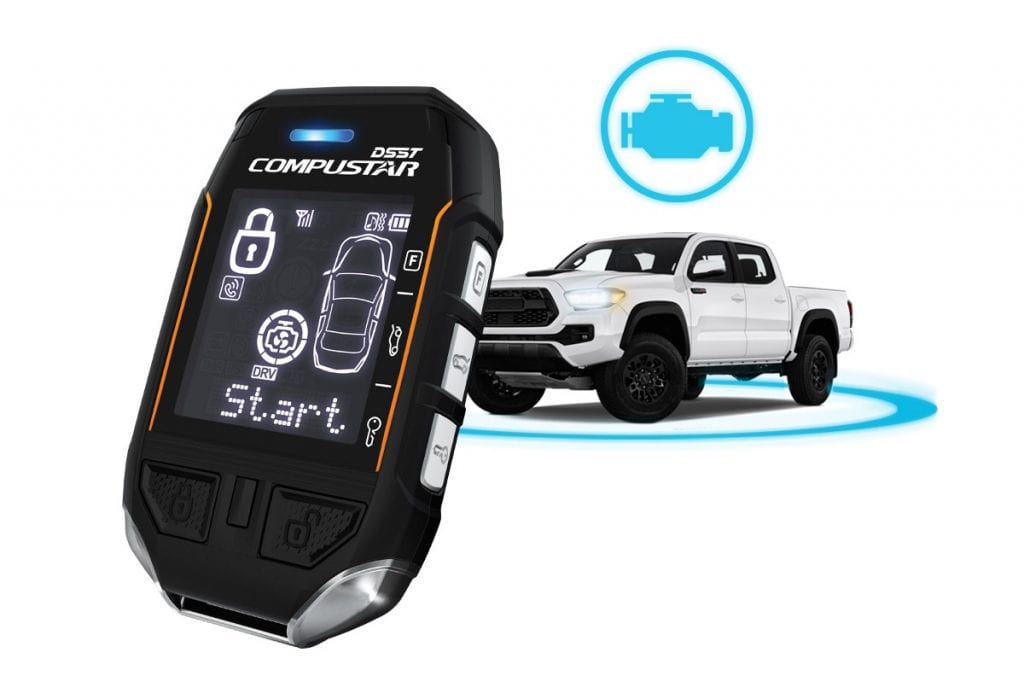
Having trouble with your Compustar remote starter? Maybe it's stopped responding, lost communication with your vehicle, or you've recently replaced a battery in your remote. Don't worry, it's a common issue, and often, the solution is a simple reprogramming procedure. This article will walk you through the process, providing helpful tips and information along the way.
Understanding Why Reprogramming is Necessary
Before we dive into the how-to, let's briefly discuss why reprogramming might be needed. Your Compustar system uses radio frequency (RF) communication between the remote and the control module in your car. Several factors can disrupt this communication:
- Battery Issues: Replacing the battery in your remote can sometimes erase the stored programming.
- RF Interference: Strong sources of radio interference can temporarily block the signal. While less common, it can happen.
- System Glitches: Like any electronic device, remote starters can occasionally experience glitches that require a reset.
- Control Module Issues: In rare cases, the control module itself might have a problem, but try reprogramming first.
- New Remote: Adding a new remote to your system necessitates programming it to recognize your vehicle's security system.
General Reprogramming Steps for Compustar Systems
While the exact steps might vary slightly depending on your specific Compustar model, the following is a general guideline that applies to most systems. Always consult your owner's manual for the most accurate and detailed instructions for your particular model. The information here is meant as a guide, not a replacement for official documentation.
What You'll Need:
- Your vehicle's keys
- Your Compustar remote(s)
- Your owner's manual (highly recommended)
- A little patience!
The Reprogramming Procedure (General Steps):
- Turn the Ignition ON/OFF: Get into your vehicle and insert your key into the ignition. Turn the ignition key to the 'ON' position (but don't start the engine) and then back to the 'OFF' position. Do this a specific number of times, usually 5-8 times in quick succession. The exact number of cycles is crucial and *will* be listed in your owner's manual.
- Listen for Confirmation: After the correct number of key cycles, your vehicle should give you some sort of audible feedback – usually a chirp from the siren or a flash of the parking lights. This indicates that the system has entered programming mode. If you don't get any feedback, double-check the number of key cycles required for your model and try again. Make sure you are cycling the key quickly and smoothly.
- Press the Remote's Button: Once you've received confirmation that the system is in programming mode, press and hold the 'Lock' button (or another designated button specified in your manual) on your remote until you hear another chirp or see the parking lights flash again. This confirms that the remote has been successfully programmed.
- Repeat for Additional Remotes: If you have multiple remotes, repeat step 3 for each remote you want to program. The system will typically remain in programming mode for a short period (e.g., 10-20 seconds), allowing you to program multiple remotes sequentially.
- Exit Programming Mode: To exit programming mode, simply turn the ignition key to the 'ON' position or wait for the system to automatically time out. The siren or parking lights should confirm that programming mode has ended.
- Test Your Remote(s): After exiting programming mode, test each remote to ensure it's working correctly. Try locking and unlocking the doors, starting the engine remotely (if applicable), and using any other features your remote provides.
Specific Compustar Model Considerations:
While the general procedure is similar, here are a few things to keep in mind based on common Compustar models. Again, always refer to your owner's manual for precise instructions.
- Compustar PRO Series: These models often have more advanced features and may require a slightly different programming sequence. Pay close attention to the specific button combinations required.
- Compustar RF-2W901-SS: This popular model is known for its two-way communication. The programming sequence is generally similar to the steps outlined above.
- Older Compustar Systems: Older systems might require a valet/override button press in conjunction with the key cycling. The location of this button can vary but is often near the hood release or under the dashboard.
Troubleshooting Common Reprogramming Issues
Sometimes, even with the best instructions, things don't go as planned. Here are some common problems and potential solutions:
- No Confirmation Chirp/Flash: If you're not getting any audible or visual feedback after cycling the key, double-check the number of cycles, the speed of the cycles, and ensure the ignition is truly turning 'ON' without starting the engine. Also, verify that the vehicle's battery is fully charged.
- Remote Not Responding After Programming: If the remote appears to program successfully (you get the confirmation chirp), but still doesn't work, try replacing the battery in the remote with a fresh one. Sometimes, even a new battery can be weak. Make sure the battery is installed with the correct polarity (+/-).
- System Keeps Entering Programming Mode: If your system seems to be randomly entering programming mode, there might be a wiring issue or a faulty component in the control module. In this case, professional diagnosis is recommended.
- Valet Mode Activated: If your system is in valet mode, the remote start function will be disabled. Check your owner's manual for instructions on how to disable valet mode. This often involves using the valet/override button.
- Hood Pin Switch Issues: The remote start feature will often be disabled if the hood is detected as being open. A faulty hood pin switch is a common cause. Check the switch and wiring for damage.
When to Seek Professional Help
While reprogramming your Compustar remote is often a straightforward process, there are times when it's best to consult a professional. Consider seeking help from a qualified automotive electrician or Compustar installer if:
- You've tried the reprogramming procedure multiple times without success.
- You suspect there might be a problem with the control module itself.
- You're uncomfortable working with your vehicle's electrical system.
- You've noticed other electrical issues in your vehicle.
Cost Considerations: The cost of professional reprogramming or diagnosis can vary depending on the shop and the complexity of the issue. Simple reprogramming might cost around $50-$100, while diagnosing and repairing a faulty control module could range from $200 to $500 or more. Getting a quote upfront is always a good idea.
Preventative Maintenance and Tips
Here are a few tips to help keep your Compustar system working smoothly:
- Use Quality Batteries: Always use high-quality batteries in your remote. Cheap batteries can leak and damage the remote's internal components.
- Protect Your Remote: Avoid exposing your remote to extreme temperatures, moisture, or physical damage.
- Regularly Test the System: Periodically test your remote start system to ensure it's functioning correctly.
- Keep Your Manual Handy: Store your owner's manual in a safe and accessible place for future reference.
- Inspect Wiring: Periodically inspect the wiring connected to your control module (if you are comfortable doing so) for any signs of damage or corrosion.
By following these steps and tips, you can often resolve common Compustar remote starter issues and keep your system working reliably. Remember to prioritize safety and consult your owner's manual for the most accurate instructions specific to your model. Good luck!