
How To Reset Service Light On Honda Civic
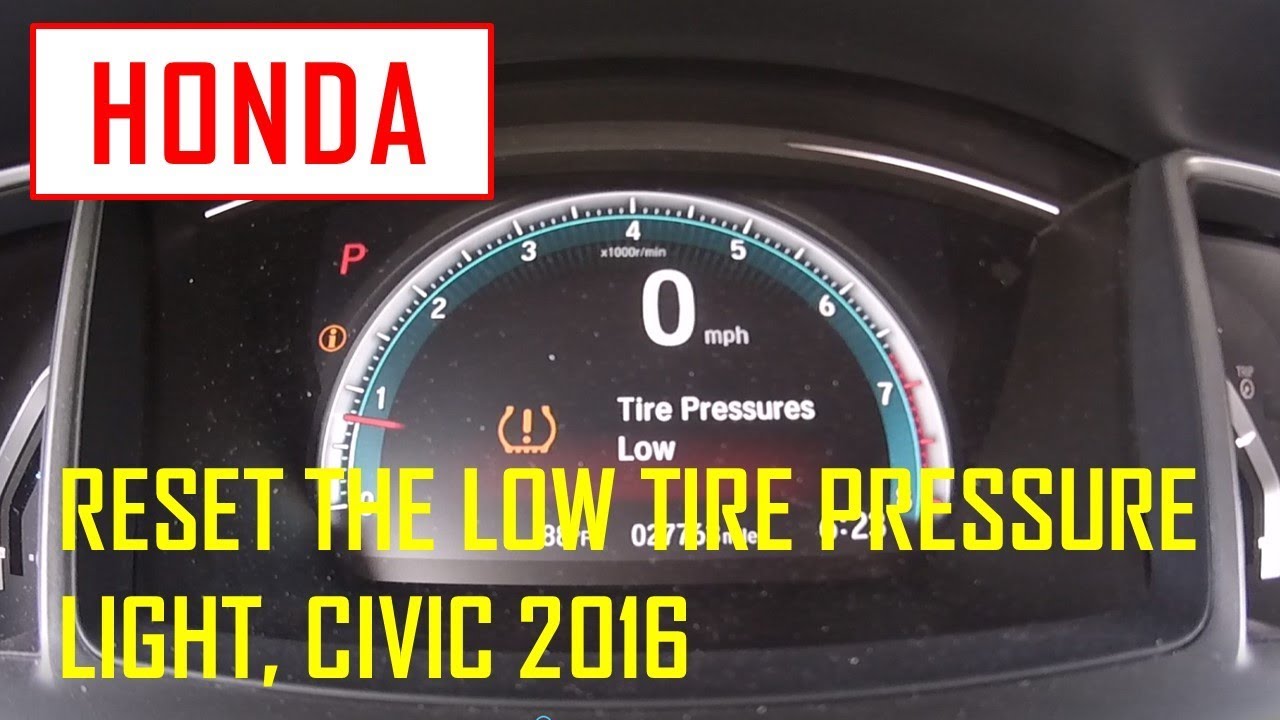
How to Reset Your Honda Civic Service Light: A Step-by-Step Guide
The service light on your Honda Civic, often represented by a wrench icon or a message on the dashboard display, is a helpful reminder that your vehicle is due for scheduled maintenance. While it's crucial to address the underlying service needs, knowing how to reset the service light after the maintenance has been performed (or if it was mistakenly triggered) is equally important. This guide provides a comprehensive, easy-to-follow walkthrough for resetting the service light on various Honda Civic models.
Why is the Service Light On?
Before we dive into the reset procedure, let's briefly understand why the service light illuminates. It's typically triggered by the vehicle's maintenance minder system, which uses algorithms based on driving conditions, mileage, and time to estimate when specific services, such as oil changes, tire rotations, or filter replacements, are required. The system will display a main code (like A or B) alongside subcodes (like 1, 2, 3, etc.) indicating the necessary service.
Ignoring the service light for extended periods can lead to neglecting necessary maintenance, potentially resulting in more significant and costly repairs down the line. While resetting the light is simple, ensure the underlying service is actually performed.
Important Considerations Before Resetting
Resetting the service light without performing the recommended maintenance is strongly discouraged. The service light is a valuable tool for keeping your Civic running smoothly and reliably. However, if you've already performed the maintenance, or the light was triggered in error, proceed with the following steps.
The reset procedure can vary slightly depending on the year and trim of your Honda Civic. This guide covers the most common methods, but always consult your owner's manual for the most accurate instructions specific to your vehicle.
Resetting the Service Light on Newer Honda Civic Models (Typically 2016 and Newer)
Newer Civic models often feature an advanced infotainment system and a digital driver information interface. Here's how to reset the service light on these vehicles:
- Turn on the ignition: Insert the key into the ignition and turn it to the "ON" position (two clicks), but do not start the engine. Alternatively, if your Civic has a push-button start, press the start button twice without pressing the brake pedal.
- Navigate to the Maintenance Minder screen: Use the steering wheel controls (usually a combination of buttons and a scroll wheel) to navigate through the information display. Look for a screen displaying the current maintenance minder codes and the remaining oil life percentage. The exact wording may vary slightly depending on your model.
- Select "Maintenance Reset": On the maintenance minder screen, you should find an option labeled "Maintenance Reset," "Reset," or something similar. Use the steering wheel controls to select this option.
- Confirm the reset: The system will likely prompt you to confirm that you want to reset the maintenance minder. Select "Yes" or "Reset" again to confirm.
- Oil life reset: After resetting the maintenance minder, you will likely be prompted to reset the oil life percentage. Choose the option to reset it to 100%. This is essential, as it tells the system to start a new maintenance interval.
- Turn off the ignition: Once the reset is complete, turn the ignition off. When you start the engine again, the service light should be gone.
Resetting the Service Light on Older Honda Civic Models (Typically Pre-2016)
Older Civic models usually have a simpler procedure for resetting the service light, often involving a physical button or series of actions. Here's the typical method:
- Turn on the ignition: Insert the key into the ignition and turn it to the "ON" position (two clicks), but do not start the engine.
- Locate the Trip Meter Reset Button: Find the trip meter reset button on the instrument panel. It's usually a small, black button located near the speedometer or tachometer.
- Cycle through the Display: Press the trip meter reset button repeatedly until the odometer displays the trip meter A.
- Turn off the ignition: Turn the ignition key to the "OFF" position.
- Press and hold the reset button: Press and hold the trip meter reset button.
- Turn on the ignition (while holding the button): While still holding the trip meter reset button, turn the ignition key back to the "ON" position (without starting the engine).
- Wait for the reset: Continue holding the trip meter reset button. After a few seconds (typically 10-20 seconds), the service light should begin to flash. Keep holding the button until the light stops flashing and remains off, or until the display shows "100% oil life."
- Release the button: Release the trip meter reset button.
- Turn off the ignition: Turn the ignition key to the "OFF" position.
- Start the engine: Start the engine to verify that the service light has been successfully reset.
Troubleshooting the Reset
If you're having trouble resetting the service light, here are a few troubleshooting tips:
- Double-check the procedure: Ensure you're following the correct steps for your specific Honda Civic model year. Consult your owner's manual for detailed instructions.
- Ensure the ignition is in the correct position: The ignition must be in the "ON" position (without starting the engine) for the reset to work.
- Hold the button long enough: Make sure you hold the reset button for the required duration (typically 10-20 seconds) until the light flashes or the display confirms the reset.
- Battery Issues: A weak battery can sometimes interfere with the reset process. If your battery is old or showing signs of weakness, consider having it tested and replaced if necessary.
- Underlying Issues: If the service light keeps coming back on shortly after resetting it, there may be an underlying issue with your vehicle that needs to be addressed. Have your Honda Civic inspected by a qualified mechanic.
When to Consult a Professional
While resetting the service light is a straightforward process, there are situations where consulting a professional is recommended:
- If you're unsure about the required maintenance: If you're not sure what services your Honda Civic needs, consult your owner's manual or a qualified mechanic.
- If the service light reappears shortly after resetting it: This could indicate an underlying issue that needs to be diagnosed and repaired.
- If you're uncomfortable performing the reset procedure yourself: A qualified mechanic can quickly and easily reset the service light for you.
By following these steps, you can confidently reset the service light on your Honda Civic. Remember to prioritize proper maintenance and consult your owner's manual for the most accurate instructions for your specific model.
Disclaimer: This guide provides general information and should not be considered a substitute for professional automotive advice. Always consult your owner's manual or a qualified mechanic for specific instructions and recommendations for your Honda Civic.