
Usb Bluetooth Adapter For Car Without Aux
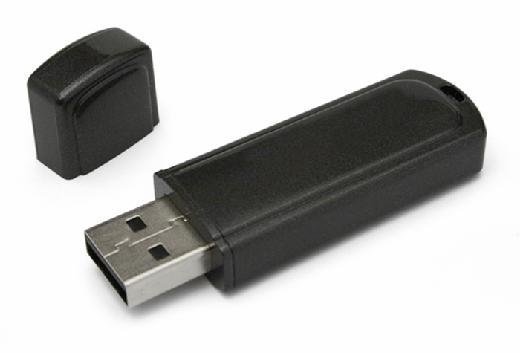
Many older cars lack modern features like Bluetooth connectivity. While an AUX input provides a simple audio solution, it's not always available. Fortunately, a USB Bluetooth adapter for car without AUX offers a convenient way to stream music, take calls hands-free, and enjoy other Bluetooth-enabled features in your vehicle.
Understanding USB Bluetooth Adapters for Cars
These adapters are small devices that plug into your car's USB port, drawing power and, in some cases, transmitting audio data. They essentially transform your car's USB port into a Bluetooth receiver, allowing you to connect your smartphone or other Bluetooth devices wirelessly.
How They Work
The process is generally straightforward:
- Plug and Play: Simply plug the adapter into a USB port in your car.
- Pairing: Put the adapter into pairing mode (usually by pressing a button or holding it down for a few seconds).
- Connect: Search for the adapter on your smartphone or other Bluetooth device and connect.
- Audio Output: The audio from your phone will then be transmitted to your car's audio system. This transmission can occur through different methods, which we'll discuss below.
Key Considerations Before Buying
Before purchasing a USB Bluetooth adapter, consider the following factors:
- Audio Transmission Method: This is the most crucial factor.
- Bluetooth Version: Newer versions offer better range, speed, and power efficiency.
- Compatibility: Check if the adapter is compatible with your car's USB port and your smartphone's Bluetooth version.
- Call Functionality: Some adapters include a microphone for hands-free calling.
- Price: Prices vary depending on features and brand reputation.
Different Types of USB Bluetooth Adapters for Cars (Without AUX)
The most important distinction between these adapters lies in how they transmit audio to your car's speakers without relying on an AUX cable. Here are the common methods:
1. FM Transmitter Adapters
These adapters broadcast the audio signal over an FM frequency. You then tune your car radio to that frequency to hear the music. This is a common and generally affordable solution. The USB Bluetooth adapter acts as a miniature FM radio station.
Pros: Widely compatible, relatively inexpensive.
Cons: Susceptible to interference from other FM stations, audio quality can be compromised, might require finding a clear FM frequency in your area.
"FM transmitter adapters offer a budget-friendly solution but may sacrifice audio clarity in areas with strong radio signals."
2. USB Audio Output Adapters (Car Must Support USB Audio)
Some modern car stereos can directly play audio files from a USB drive. These USB Bluetooth adapters exploit this capability. The adapter receives the Bluetooth audio from your phone and sends it to the car stereo as if it were a USB drive playing music.
Pros: Superior audio quality compared to FM transmitters, cleaner connection.
Cons: Only works if your car stereo explicitly supports playing audio files from a USB drive (not just for charging), less common than FM transmitters, compatibility can be tricky.
Important: Just because your car has a USB port doesn't mean it supports USB audio playback. Check your car's owner's manual or test a USB drive with music files to confirm compatibility.
3. Adapters that Use Existing Car Systems (Less Common)
Some niche adapters integrate more deeply with existing car systems. These solutions usually require more technical expertise to install and might be car-specific. For example, they might connect to the car's CD changer port or satellite radio input using specialized adapters. Because these are so specialized, they aren't covered here in great detail, but understand that they are sometimes options.
Pros: Often offer the best integration and audio quality.
Cons: Typically more expensive, complex installation, limited compatibility.
Choosing the Right Adapter for Your Needs
Consider these questions to determine the best USB Bluetooth adapter for your situation:
- Does your car stereo support playing audio files from a USB drive? If yes, a USB audio output adapter will provide the best audio quality.
- Is your car stereo primarily used for listening to the radio? An FM transmitter adapter might be sufficient and cost-effective.
- Are you concerned about audio quality and willing to spend more? Explore specialized adapters that integrate deeper with your car's system (if available for your car model).
- Do you need hands-free calling functionality? Look for adapters with a built-in microphone.
- What Bluetooth version does your smartphone use? Choose an adapter with a compatible (or newer) Bluetooth version.
Tips for Using a USB Bluetooth Adapter
Here are a few tips to maximize your experience:
- Find a Clear FM Frequency (for FM Transmitters): Scan your car radio for an unused frequency before setting up your adapter.
- Minimize Interference: Keep the adapter away from other electronic devices that might cause interference.
- Adjust Volume Levels: Optimize the volume on your smartphone and your car stereo for the best audio output.
- Read the Manual: Familiarize yourself with the adapter's specific instructions for pairing and operation.
- Test Compatibility: Before making a final purchase, read reviews to see if other users with similar car models have had success.
Troubleshooting Common Issues
If you encounter problems with your USB Bluetooth adapter, try these troubleshooting steps:
- Check the Connection: Ensure the adapter is securely plugged into the USB port.
- Re-Pair Devices: Delete the adapter from your phone's Bluetooth list and re-pair.
- Try a Different USB Port: Some USB ports might provide more power than others.
- Update Firmware (if applicable): Check the manufacturer's website for firmware updates.
- Test with Another Device: Rule out the possibility of a problem with your smartphone.
Conclusion
A USB Bluetooth adapter for car without AUX offers a practical and affordable solution for adding Bluetooth connectivity to older vehicles. By carefully considering your car's capabilities, your audio quality expectations, and the available adapter options, you can enjoy wireless music streaming, hands-free calling, and other Bluetooth features on the road. Remember to prioritize audio transmission method as this will be the primary determinant of sound quality and overall satisfaction. Choose wisely, and enjoy the benefits of modern Bluetooth technology in your classic ride!