
Why Is My Bluetooth Not Working In My Car
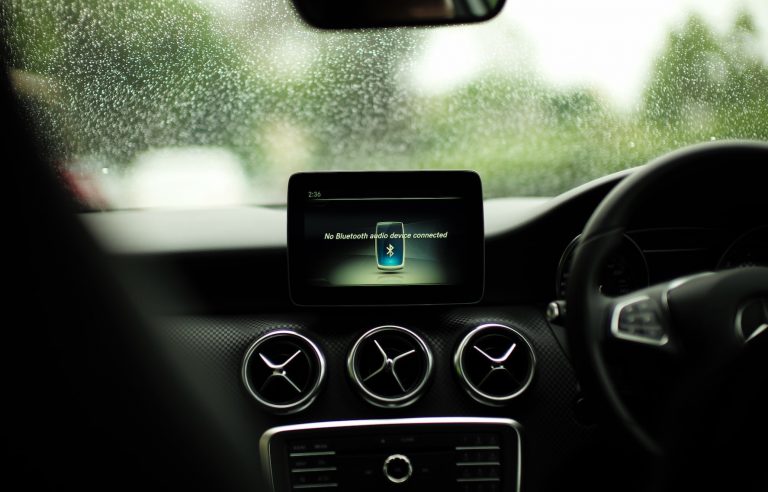
Bluetooth connectivity has become a staple in modern vehicles, offering hands-free calling, audio streaming, and integration with smartphone applications. However, its seemingly ubiquitous presence doesn't guarantee seamless operation. Automotive professionals frequently encounter issues with Bluetooth in cars, requiring a solid understanding of the underlying technology, common failure points, and effective troubleshooting strategies.
Understanding Automotive Bluetooth Architecture
Automotive Bluetooth systems are typically integrated within the car's infotainment head unit. This unit contains a Bluetooth module, often manufactured by companies like Broadcom or Qualcomm, responsible for handling the radio frequency (RF) communication. This module operates within the 2.4 GHz ISM (Industrial, Scientific, and Medical) band, utilizing the Bluetooth protocol stack, which includes profiles such as A2DP (Advanced Audio Distribution Profile) for audio streaming, HFP (Hands-Free Profile) for phone calls, and AVRCP (Audio/Video Remote Control Profile) for controlling media playback. The head unit's processor handles the data received via Bluetooth, routing audio signals to the car's speakers and displaying call information on the infotainment screen.
Engineering choices significantly impact Bluetooth performance. Antenna placement is crucial; poorly positioned antennas, often located within the dashboard or behind metal components, can suffer from signal attenuation and interference. Furthermore, the Bluetooth chip's power output affects range and connection stability. Lower power outputs, while conserving energy, can lead to dropped connections, particularly in environments with high levels of RF interference.
Common Bluetooth Issues and Troubleshooting
Several factors can contribute to Bluetooth malfunction in cars. Here's a breakdown of common problems and diagnostic approaches:
- Pairing Issues: Difficulty pairing a device is frequently related to incorrect PIN codes, incompatible Bluetooth versions (e.g., a device supporting only Bluetooth 2.0 attempting to connect to a Bluetooth 5.0 system), or exceeding the maximum number of paired devices stored in the head unit's memory. Clearing the pairing list on both the car and the device can often resolve this.
- Connection Instability: Dropped connections during calls or music streaming can stem from RF interference from other devices operating in the 2.4 GHz band, weak Bluetooth signal strength due to antenna issues, or software glitches within the head unit or the connected device. Checking for firmware updates for both the head unit and the phone is a critical troubleshooting step.
- Audio Quality Problems: Distorted audio, low volume, or microphone issues during calls can be caused by codec incompatibility between the Bluetooth module and the connected device, faulty audio routing within the head unit, or a malfunctioning microphone. Testing with different devices helps isolate the source of the problem. Examining the gain settings for both the microphone and audio output within the head unit's settings is also important.
- Software Bugs: Automotive software is complex, and bugs can occasionally manifest as Bluetooth-related issues. These can range from incorrect profile handling to complete Bluetooth module failures. In these cases, a factory reset of the head unit may be necessary, followed by a software update, if available.
- Hardware Failures: While less common, the Bluetooth module itself can fail due to component degradation or physical damage. This often requires replacing the entire head unit or the specific Bluetooth module if it's modular. Diagnosing this usually involves checking for error codes using a diagnostic scan tool and verifying the module's power supply.
Alternatives to Bluetooth
While Bluetooth is dominant, alternatives exist for in-car connectivity. These include:
- USB Connection: A direct USB connection offers a stable and often higher-quality audio connection compared to Bluetooth. Pros: Superior audio fidelity, charging capability. Cons: Requires a physical cable, can be less convenient.
- Apple CarPlay and Android Auto: These platforms offer seamless smartphone integration, often using a combination of Bluetooth and USB connectivity. Pros: Intuitive interface, access to smartphone apps. Cons: Requires compatible devices, potential software issues.
- Auxiliary Input (AUX): An analog audio connection using a 3.5mm jack. Pros: Universal compatibility, simple setup. Cons: Lower audio quality compared to digital connections, no hands-free calling support.
Reliability and Maintenance
The reliability of automotive Bluetooth systems is generally good, but proper maintenance can help prevent issues. Regular software updates are crucial for addressing bugs and improving performance. Avoid exposing the head unit to extreme temperatures and humidity, which can damage internal components. When diagnosing Bluetooth problems, always start with the simplest solutions, such as rebooting the phone and the head unit, before moving on to more complex troubleshooting steps. Regularly clearing the paired device list can also prevent conflicts.
Future Trends
The future of automotive connectivity points toward more sophisticated and integrated solutions. Bluetooth 5.x and beyond offer improved range, speed, and efficiency. We can expect to see wider adoption of Bluetooth Low Energy (BLE) for applications like keyless entry and vehicle diagnostics. Furthermore, the integration of 5G connectivity will enable Over-The-Air (OTA) updates and advanced telematics services, potentially reducing reliance on Bluetooth for certain functions. Cellular Vehicle-to-Everything (C-V2X) communication will also emerge, offering direct communication between vehicles and infrastructure, further enhancing safety and connectivity. Future vehicles will rely heavily on software-defined architectures, allowing for more flexible and adaptable infotainment systems, which will undoubtedly impact how Bluetooth and other connectivity technologies are implemented and managed.
Conclusion
Bluetooth remains a vital component of modern automotive technology, but its effective operation requires a solid understanding of its architecture, potential failure points, and available troubleshooting techniques. As the automotive industry continues to evolve, with increasing emphasis on software and connectivity, automotive professionals must stay abreast of the latest advancements and best practices to effectively diagnose and resolve Bluetooth-related issues, ensuring a seamless and enjoyable driving experience for their customers. The shift toward software-defined vehicles will require a deeper understanding of software and networking protocols, making continuous learning essential for staying competitive in the automotive service industry.