
2006 Nissan Murano Alternator Replacement
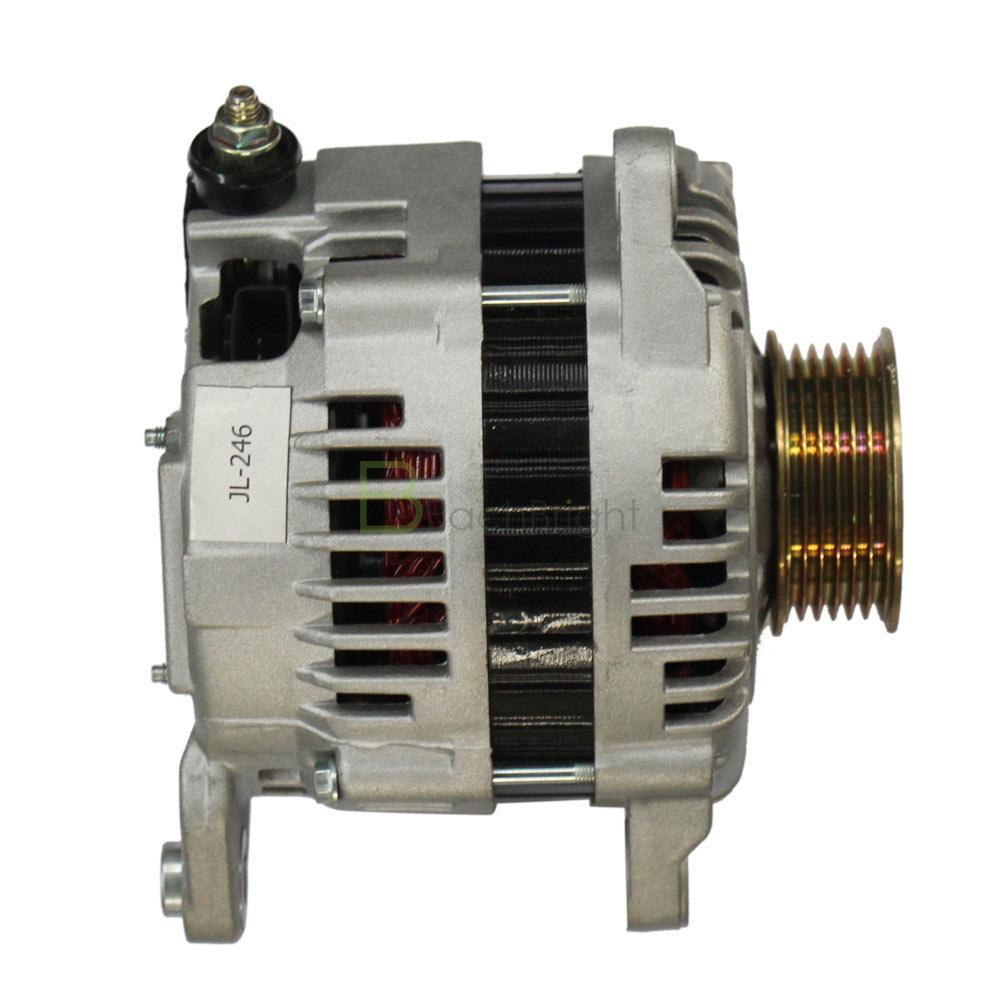
The 2006 Nissan Murano, known for its blend of comfort and utility, can sometimes experience electrical issues, and a failing alternator is a common culprit. Replacing the alternator is a manageable task for a confident DIYer with the right tools and instructions. This guide provides a step-by-step walkthrough for replacing the alternator on your 2006 Nissan Murano, ensuring a smooth and successful repair.
Understanding the Role of the Alternator
Before diving into the replacement process, it's crucial to understand what the alternator does. The alternator is a vital component of your vehicle's electrical system. Its primary function is to charge the battery while the engine is running and to provide power to all the electrical components, such as the headlights, radio, and air conditioning. Without a properly functioning alternator, your battery will eventually drain, leaving you stranded. Recognizing the symptoms of a failing alternator is key to preventing a breakdown.
Signs of a Failing 2006 Nissan Murano Alternator
Several telltale signs can indicate that your 2006 Nissan Murano's alternator is on its way out. Being aware of these symptoms allows you to address the issue promptly and avoid more significant problems. Here are some common indicators:
- Dim or Flickering Headlights: A weak alternator may not be able to provide sufficient power, causing the headlights to appear dim or flicker, especially at idle.
- Warning Lights on the Dashboard: The battery warning light (shaped like a battery) or the check engine light might illuminate, indicating a problem with the charging system. Get the diagnostic codes read to confirm.
- Difficulty Starting the Engine: A failing alternator might not properly charge the battery, leading to slow cranking or difficulty starting the engine.
- Unusual Noises: A whining or grinding noise coming from the engine compartment could indicate a worn-out bearing in the alternator.
- Electrical Problems: Issues such as power windows operating slowly, the radio cutting out, or other electrical malfunctions can signal alternator trouble.
- Stalling: In severe cases, a failing alternator can cause the engine to stall, especially when electrical loads are high (e.g., using the air conditioning and headlights simultaneously).
Tools and Materials Needed for the Alternator Replacement
Having the right tools and materials readily available will make the alternator replacement process much smoother and more efficient. Gather the following items before you begin:
- New Alternator: Ensure you purchase the correct replacement alternator for your 2006 Nissan Murano. Check the part number to guarantee compatibility.
- Socket Set: A standard socket set with metric sizes is essential.
- Wrench Set: A set of open-end wrenches and possibly a ratcheting wrench set will be helpful.
- Screwdrivers: Both Phillips head and flathead screwdrivers may be needed.
- Pliers: Pliers are useful for disconnecting electrical connectors.
- Multimeter: A multimeter is used to test the voltage of the battery and alternator.
- Battery Terminal Cleaner: Cleaning the battery terminals ensures a good connection.
- Gloves: Wear gloves to protect your hands.
- Safety Glasses: Always wear safety glasses to protect your eyes.
- Jack and Jack Stands: You may need to lift the vehicle for better access.
- Wheel Chocks: Use wheel chocks to secure the vehicle.
- Penetrating Oil: Helpful for loosening stubborn bolts.
- Shop Rags: For cleaning up spills and wiping your hands.
- Torque Wrench: To tighten bolts to the correct specifications.
Step-by-Step Guide to Replacing the 2006 Nissan Murano Alternator
Safety First: Before starting any work on your vehicle, disconnect the negative battery cable. This prevents accidental electrical shocks and damage to the electrical system. Secure the cable away from the battery terminal. Also, make sure the vehicle is parked on a level surface, the parking brake is engaged, and the wheels are chocked.
Step 1: Accessing the Alternator
The location of the alternator on a 2006 Nissan Murano can vary slightly depending on the engine configuration. Generally, it's located on the front of the engine. You might need to remove some plastic engine covers to gain access. These covers are usually held in place by plastic clips or bolts. Carefully remove them and set them aside.
Step 2: Disconnecting the Electrical Connections
Once you have access to the alternator, the next step is to disconnect the electrical connections. There are typically two connections: a large cable connected to the battery positive terminal and a smaller connector for the voltage regulator. Use a wrench to remove the nut securing the large cable. Be careful not to touch the cable to any metal surfaces while it's disconnected. Disconnect the smaller connector by pressing the release tab and pulling it straight out. Sometimes these connectors can be stubborn, so apply gentle pressure and wiggle it if necessary.
Step 3: Removing the Serpentine Belt
The serpentine belt drives the alternator, so you'll need to remove it. Locate the belt tensioner pulley. This pulley is spring-loaded and can be moved to relieve tension on the belt. Use a wrench or socket on the tensioner pulley bolt and rotate it to release the tension on the belt. While holding the tensioner, carefully remove the belt from the alternator pulley. Once the belt is off the alternator, slowly release the tensioner. Note the routing of the serpentine belt before removing it completely – you'll need to reinstall it the same way. It’s a good idea to take a picture or draw a diagram for reference.
Step 4: Removing the Alternator
Now you can remove the alternator itself. The alternator is usually held in place by two or three bolts. Use a socket wrench to remove these bolts. Once the bolts are removed, the alternator should be free. However, it might be a tight fit. You may need to gently wiggle the alternator to loosen it. Pay attention to any wiring or hoses that might be obstructing its removal. Once the alternator is free, carefully lift it out of the engine compartment.
Step 5: Installing the New Alternator
Installation is the reverse of removal. Place the new alternator into the engine compartment and align it with the mounting holes. Install the mounting bolts and tighten them to the manufacturer's specified torque using a torque wrench. Consult your vehicle's repair manual or a reliable online resource for the correct torque specifications. Do not overtighten the bolts, as this can damage the alternator or the engine block.
Step 6: Reinstalling the Serpentine Belt
With the new alternator securely in place, reinstall the serpentine belt. Use the same wrench or socket to rotate the belt tensioner pulley, relieving tension on the belt. Route the belt around all the pulleys, following the diagram or picture you took earlier. Make sure the belt is properly seated in all the grooves. Once the belt is in place, slowly release the tensioner.
Step 7: Reconnecting the Electrical Connections
Reconnect the electrical connections to the alternator. Reattach the large cable to the battery positive terminal on the alternator and tighten the nut. Reconnect the smaller connector for the voltage regulator. Make sure the connector clicks into place, indicating a secure connection.
Step 8: Final Checks and Testing
Before starting the engine, double-check all connections and ensure that all tools and materials are removed from the engine compartment. Reinstall any engine covers that were removed earlier. Reconnect the negative battery cable. Start the engine and observe the dashboard for any warning lights. Use a multimeter to check the voltage at the battery terminals while the engine is running. A healthy charging system should produce a voltage between 13.5 and 14.5 volts. If the voltage is outside this range, there may be a problem with the alternator, the battery, or the wiring.
Post-Replacement Tips and Considerations
After replacing the alternator, it's a good idea to monitor the vehicle's electrical system for any signs of trouble. Pay attention to the headlights, dashboard warning lights, and the way the engine starts. Here are some additional tips:
- Battery Condition: A weak battery can put extra strain on the new alternator. Consider having the battery tested to ensure it's in good condition. If the battery is old or showing signs of weakness, it may be time to replace it as well.
- Serpentine Belt Condition: Inspect the serpentine belt for wear and tear. If the belt is cracked, frayed, or glazed, replace it. A worn serpentine belt can slip and cause the alternator to underperform.
- Professional Inspection: If you're unsure about any part of the replacement process or if you continue to experience electrical problems, consult a qualified mechanic. A professional can diagnose and repair any underlying issues.
- Proper Disposal: Dispose of the old alternator properly. Many auto parts stores offer recycling programs for used alternators.
Replacing the alternator on your 2006 Nissan Murano is a challenging but achievable task for the confident DIYer. By following these steps and taking the necessary precautions, you can save money on labor costs and gain valuable experience working on your vehicle. Remember to prioritize safety and consult a professional if you have any doubts or concerns. Always double check the work for your safety and others on the road.