
2006 Nissan Xterra Alternator Replacement
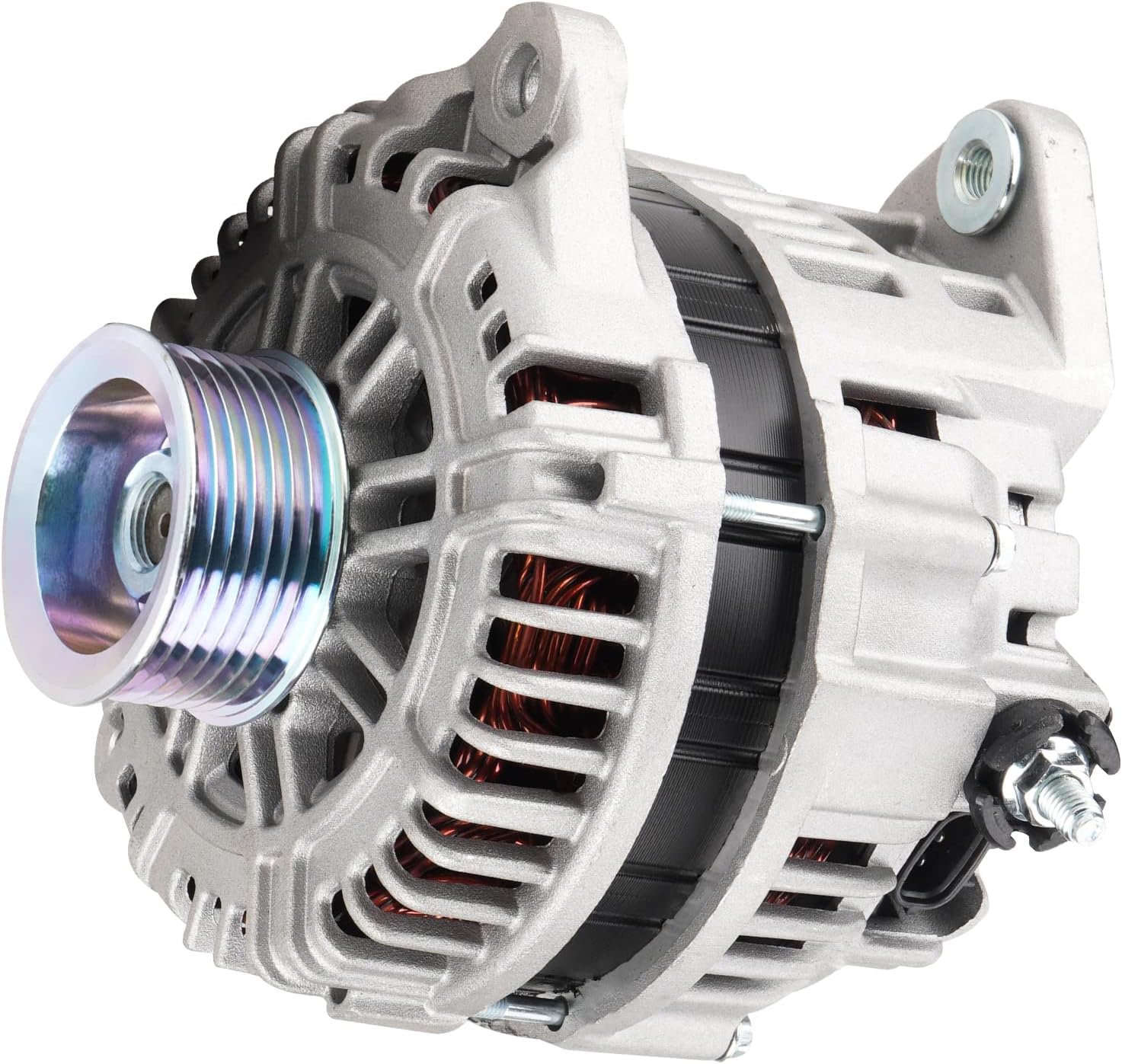
The 2006 Nissan Xterra, a rugged and reliable SUV, is known for its off-road capabilities and robust construction. However, like any vehicle, its components are subject to wear and tear. One such component is the alternator, the heart of the electrical system. When the alternator fails, the vehicle's electrical system is compromised, leading to a dead battery and, ultimately, a non-functional vehicle. This article provides an in-depth look at replacing the alternator on a 2006 Nissan Xterra, offering insights into the procedure and the underlying principles.
Understanding the Alternator and Its Role
Before diving into the replacement process, it's crucial to understand the function of the alternator. The alternator is a type of AC generator that converts mechanical energy from the engine into electrical energy. This electrical energy is then used to charge the battery and power the vehicle's electrical accessories, such as the headlights, radio, and power windows. Without a functioning alternator, the battery would quickly discharge, leaving the vehicle unable to start or operate.
The alternator's operation relies on the principles of electromagnetic induction. A rotating rotor, driven by a belt connected to the engine's crankshaft, spins within a stator. The rotor's magnetic field induces a voltage in the stator windings, generating alternating current (AC). This AC voltage is then converted to direct current (DC) by a rectifier, typically consisting of diodes, before being used to charge the battery and power the vehicle's electrical system. The alternator's output is regulated by a voltage regulator, ensuring a stable voltage supply to prevent damage to the vehicle's electrical components.
Symptoms of a Failing Alternator
Recognizing the symptoms of a failing alternator is crucial for timely replacement and preventing a breakdown. Common symptoms include:
- Dimming headlights: A weak alternator may not provide sufficient power to the headlights, causing them to appear dim, especially at idle.
- Warning lights: The battery warning light or the "ALT" (alternator) warning light may illuminate on the dashboard.
- Slow or no start: A failing alternator may not adequately charge the battery, leading to difficulty starting the engine or a complete no-start condition.
- Electrical accessory malfunctions: Power windows may operate slowly, the radio may cut out, or other electrical accessories may exhibit erratic behavior.
- Growling or whining noise: Worn bearings within the alternator can produce a noticeable growling or whining noise, which may increase with engine speed.
- Smell of burning rubber: A slipping alternator belt can generate friction and heat, resulting in a burning rubber smell.
While these symptoms can indicate a failing alternator, it's essential to perform a thorough diagnosis to confirm the problem. A simple voltmeter test can help determine if the alternator is producing the correct voltage. Typically, a healthy alternator should produce between 13.5 and 14.5 volts with the engine running.
Tools and Materials Required
Replacing the alternator requires a few basic tools and materials. It's always a good idea to gather everything before starting the project:
- New alternator: Ensure you purchase the correct alternator for your specific 2006 Nissan Xterra model and engine type.
- Socket set: A socket set with various sizes, including metric sockets, is essential for removing the alternator mounting bolts and belt tensioner.
- Wrench set: A wrench set is also needed for accessing some of the bolts and nuts.
- Screwdrivers: Both Phillips head and flathead screwdrivers may be required.
- Belt tensioner tool: A belt tensioner tool is crucial for releasing the tension on the serpentine belt, allowing you to remove it from the alternator pulley.
- Voltmeter: A voltmeter is helpful for verifying the alternator's output after installation.
- Gloves: Gloves protect your hands from dirt, grease, and sharp edges.
- Safety glasses: Safety glasses are essential for protecting your eyes from debris.
- Penetrating oil: Penetrating oil can help loosen stubborn bolts and nuts.
- Shop towels: Shop towels are useful for cleaning up spills and wiping down components.
- Jack and jack stands: These might be required depending on the alternator location and access points.
Step-by-Step Alternator Replacement Procedure
The following steps outline the alternator replacement procedure for a 2006 Nissan Xterra. Always consult the vehicle's repair manual for specific instructions and torque specifications.
1. Disconnect the Battery
Safety first! Disconnect the negative battery cable using a wrench. This prevents accidental electrical shorts during the replacement process. Secure the cable away from the battery terminal.
2. Locate the Alternator
The alternator is typically located at the front of the engine, near the serpentine belt. Refer to your vehicle's repair manual for its exact location. It may be necessary to remove the engine cover or other components for better access.
3. Remove the Serpentine Belt
Using a belt tensioner tool, locate the serpentine belt tensioner. Insert the tool into the tensioner and apply leverage to release the tension on the belt. Carefully slip the belt off the alternator pulley. Once the belt is off the alternator pulley, slowly release the tensioner. Note the routing of the serpentine belt; taking a picture or drawing a diagram will help during reinstallation.
4. Disconnect the Electrical Connections
Locate the electrical connections on the back of the alternator. There will typically be two connections: a large B+ terminal connected directly to the battery and a smaller connector for the voltage regulator. Disconnect these connectors. Be careful not to damage the connectors or wiring.
5. Remove the Alternator Mounting Bolts
Locate the alternator mounting bolts. These bolts secure the alternator to the engine block or a mounting bracket. Using a socket and wrench, remove the mounting bolts. You may need to use penetrating oil to loosen stubborn bolts. Support the alternator as you remove the last bolt to prevent it from falling.
6. Remove the Old Alternator
Carefully remove the old alternator from the engine compartment. You may need to maneuver it around other components to extract it. Pay attention to the alternator's orientation as you remove it; this will help with installing the new alternator.
7. Install the New Alternator
Position the new alternator in the same orientation as the old alternator. Align the mounting holes and install the mounting bolts. Tighten the bolts to the manufacturer's specified torque specifications. Ensure the alternator is securely mounted.
8. Reconnect the Electrical Connections
Reconnect the electrical connections to the back of the alternator. Ensure the connectors are securely attached. Double-check that the large B+ terminal is properly connected and tightened.
9. Reinstall the Serpentine Belt
Route the serpentine belt around all the pulleys, following the diagram you created earlier or referencing the vehicle's repair manual. Use the belt tensioner tool to release the tension on the tensioner and slip the belt over the alternator pulley. Slowly release the tensioner, ensuring the belt is properly seated on all the pulleys.
10. Reconnect the Battery
Reconnect the negative battery cable to the battery terminal. Tighten the connection securely.
11. Start the Engine and Verify Operation
Start the engine and allow it to run for a few minutes. Check for any unusual noises or vibrations. Use a voltmeter to verify the alternator's output voltage. It should be between 13.5 and 14.5 volts with the engine running. Turn on the headlights and other electrical accessories to ensure the alternator can handle the load. If the alternator is functioning correctly, the battery warning light should be off, and all electrical accessories should operate normally.
Troubleshooting Common Issues
Even with careful execution, some issues might arise during or after the alternator replacement. Here are a few common problems and their solutions:
- Serpentine belt slippage: Ensure the serpentine belt is properly routed and tensioned. Check the belt for wear or damage and replace it if necessary.
- Battery warning light remains on: Double-check all electrical connections to the alternator and battery. Inspect the alternator fuse and replace it if blown. If the problem persists, the new alternator may be faulty.
- Low voltage output: Verify the voltage regulator connection. A faulty voltage regulator can cause low voltage output. Test the alternator's output directly at the B+ terminal to rule out wiring issues.
- Noise after replacement: Check for proper alternator alignment. Misalignment can cause noise and premature wear. Also, inspect the serpentine belt tensioner for proper operation. A worn tensioner can cause belt slippage and noise.
Conclusion
Replacing the alternator on a 2006 Nissan Xterra is a manageable task for the DIY enthusiast with a basic understanding of automotive electrical systems. By following the steps outlined in this guide and taking necessary safety precautions, you can save money and gain valuable experience. Remember to consult the vehicle's repair manual for specific instructions and torque specifications. A properly functioning alternator is critical for the reliable operation of your Xterra, ensuring a long and trouble-free lifespan.