
2010 Nissan Murano Aux Input Location
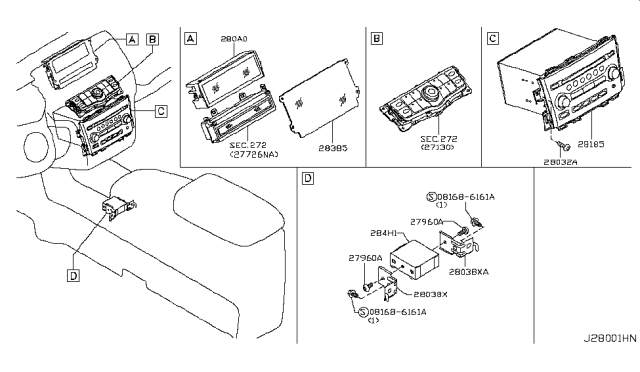
Finding the Aux Input on Your 2010 Nissan Murano
The 2010 Nissan Murano is a popular crossover SUV known for its comfortable ride and stylish design. A common question among owners, especially those who enjoy listening to their own music, is, "Where is the aux input located?" This article will provide a clear and comprehensive guide to locating and using the auxiliary input in your 2010 Nissan Murano.
Understanding the Importance of an Aux Input
In the age of smartphones and streaming services, the auxiliary (aux) input might seem outdated. However, it remains a vital feature for many drivers. It allows you to connect devices without Bluetooth connectivity, such as older MP3 players or even some smartphones when Bluetooth pairing is problematic. It's a simple, reliable way to enjoy your personal audio library in your vehicle.
The 2010 Nissan Murano Aux Input Location: Center Console
The 2010 Nissan Murano's auxiliary input is typically located in the center console. This is the storage compartment between the driver and passenger seats.
Here's a step-by-step guide to find it:
- Locate the Center Console: This is the covered compartment situated between the two front seats.
- Open the Console Lid: Lift or slide the lid of the center console to access the interior.
- Check the Front Section: In most 2010 Murano models, you'll find the aux input, along with a 12V power outlet, at the front section of the console, near where the dashboard meets the console.
- Look for the 3.5mm Jack: The aux input is a small, circular port, also known as a 3.5mm headphone jack. It usually has a headphone icon printed next to it.
Important Note: While the location is consistent across most 2010 Murano models, there might be slight variations depending on the specific trim level and optional equipment. If you're having trouble finding it in the described location, double-check the owner's manual.
What if I Don't See an Aux Input?
If you've thoroughly checked the center console and still can't find the aux input, consider the following:
- Trim Level Variations: Lower trim levels might not have included an aux input as a standard feature. While rare, it's a possibility.
- Aftermarket Modifications: The vehicle may have undergone modifications by a previous owner. They might have removed the original radio or console, potentially eliminating the aux input.
- Check the Owner's Manual: The owner's manual is your best resource for vehicle-specific information. Consult it for the definitive location of the aux input in your particular 2010 Murano.
How to Use the Aux Input
Once you've located the aux input, using it is straightforward:
- Get an Aux Cable: You'll need a 3.5mm male-to-male auxiliary cable. These are widely available at electronics stores and online retailers.
- Connect the Cable: Plug one end of the aux cable into the 3.5mm jack in your 2010 Murano's center console.
- Connect Your Device: Plug the other end of the aux cable into the headphone jack of your smartphone, MP3 player, or other audio device.
- Select "AUX" or "Line In" on Your Radio: Turn on your Murano's radio. You'll need to select the correct input source. Look for options like "AUX," "Line In," or "External Input." The exact wording may vary depending on your radio's model.
- Adjust the Volume: Control the volume using both your audio device and the car's stereo system to achieve the desired sound level.
Troubleshooting Common Aux Input Issues
Sometimes, you might encounter problems when using the aux input. Here are some common issues and how to troubleshoot them:
- No Sound:
- Check the Cable: Ensure the aux cable is securely plugged into both your device and the car's aux input. Try a different cable to rule out a faulty connection.
- Verify the Input Source: Make sure you've selected the correct input source (AUX, Line In) on your car radio.
- Volume Levels: Confirm that the volume is turned up on both your device and the car stereo.
- Device Compatibility: Rarely, some devices might not be fully compatible. Try a different device to see if the issue persists.
- Static or Distortion:
- Cable Quality: A low-quality aux cable can introduce static or distortion. Use a higher-quality shielded cable.
- Loose Connections: Check for loose connections at both ends of the cable.
- Interference: Electrical interference can sometimes cause static. Try moving the cable away from other electronic devices in the car.
- One Channel Not Working:
- Cable Issue: This is often caused by a faulty aux cable. Replace the cable with a new one.
- Device Headphone Jack: The headphone jack on your device might be damaged. Try using a different device.
Alternatives to the Aux Input
If you're consistently having problems with the aux input, or if you prefer a more modern solution, consider these alternatives:
- Bluetooth Adapter: A Bluetooth adapter plugs into the 12V power outlet and transmits audio wirelessly to your car stereo via an FM frequency.
- Bluetooth Car Stereo: Replacing your factory stereo with a Bluetooth-enabled aftermarket unit is a more permanent solution that provides wireless connectivity for music and hands-free calling.
- USB Adapter: Some aftermarket adapters use the USB port to play music from a USB drive or connected device. (Note: This depends on the stereo's capabilities. Not all 2010 Murano stereos support music playback via USB)
Conclusion
The aux input in your 2010 Nissan Murano is a simple and effective way to enjoy your favorite music on the go. By following the steps outlined in this article, you should be able to easily locate it, connect your devices, and troubleshoot any common issues. If you're still experiencing problems, consulting the owner's manual or seeking assistance from a qualified car audio technician is recommended. Enjoy your music!
Disclaimer: While this article provides general guidance, specific vehicle configurations may vary. Always consult your owner's manual for the most accurate information pertaining to your 2010 Nissan Murano.