
2018 Nissan Altima Key Fob Replacement
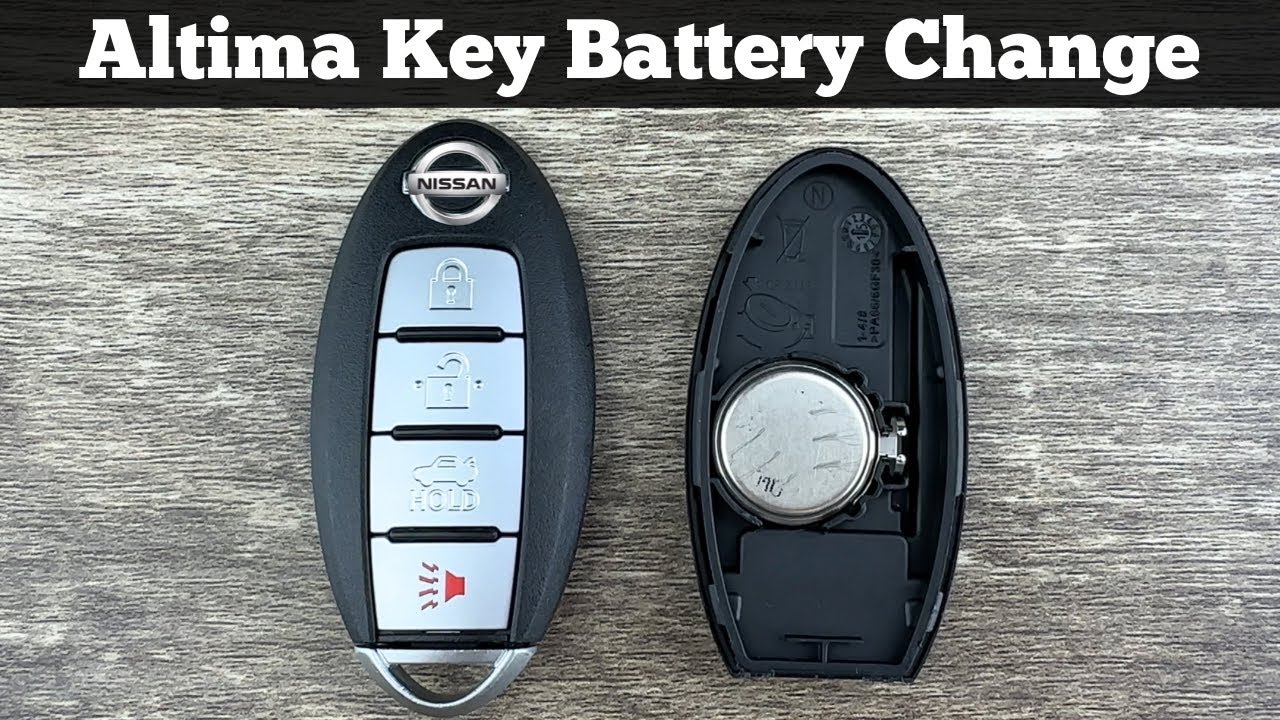
So, your 2018 Nissan Altima key fob has given up the ghost, or perhaps you’ve just misplaced it. No sweat. Replacing it isn't rocket science, but it *does* involve a bit more than just slapping in a new battery. This guide will walk you through the process, from purchasing a replacement fob to programming it to work with your vehicle. We'll assume you're comfortable with basic automotive tools and have a decent understanding of vehicle electronics. If you're a complete beginner, this might be a job best left to a professional.
Understanding the Replacement Options
Before we dive into the how-to, let's clarify your options for acquiring a replacement key fob. You have three main avenues:
- Nissan Dealership: This is the most expensive route but also typically the most reliable. Dealerships can guarantee a genuine Nissan key fob specifically coded for your Altima’s Vehicle Identification Number (VIN). They handle the programming process, ensuring everything works seamlessly.
- Locksmith: Many automotive locksmiths have the equipment and expertise to cut and program key fobs. They often offer a more cost-effective solution compared to dealerships. Make sure the locksmith is reputable and uses quality replacement fobs. Ask about their programming process and guarantee.
- Online Retailers: This is the cheapest option, but also the riskiest. You can find generic or aftermarket key fobs online at significantly lower prices. However, quality can be questionable, and you're often responsible for the programming yourself. Buyer beware!
Regardless of where you source your replacement fob, make sure it's the correct part number for your 2018 Altima. This is crucial for compatibility. You can usually find the correct part number in your owner's manual, by calling a Nissan dealership with your VIN, or by checking with the online retailer/locksmith. Failure to match the correct part number can result in a useless fob.
Required Tools and Materials
Here’s what you’ll need for this project:
- Replacement Key Fob (matched to your vehicle's VIN)
- Original Key Fob (if available - some programming methods require it)
- Vehicle Immobilizer/Key Programming Tool (if you're doing the programming yourself) – These range from basic OBDII scanners with key programming capabilities to more advanced, specialized tools.
- OBDII (On-Board Diagnostics II) Scanner (for reading and clearing diagnostic trouble codes - DTCs)
- Laptop (depending on the key programming tool) - Some tools require software installation and connection to a laptop.
- Screwdriver (small, for opening the fob if needed for battery replacement - although this isn't directly related to programming, it's good to have on hand)
The Programming Process
Now for the meat of the matter: programming the new key fob. The exact procedure can vary slightly depending on the source of your fob and the programming tool you're using. However, here’s a general outline of the steps involved:
Step 1: Prepare Your Vehicle
Ensure your vehicle is parked in a safe location, preferably with the parking brake engaged. Turn off all accessories (radio, lights, climate control) to minimize electrical drain during the programming process. Confirm your vehicle's battery is in good condition. A weak battery can interfere with the programming process. Consider using a battery maintainer if you're concerned about voltage drop.
Step 2: Access the Vehicle's Programming Mode
This is where the process can diverge depending on whether you have your original working key fob. Some programming methods require the presence of a working key fob to enter programming mode. Consult the instructions provided with your key programming tool or the documentation for your specific 2018 Altima trim level. Some common methods involve:
- Using the Original Key Fob: This typically involves inserting the original key into the ignition, turning it to the "ON" position (but *not* starting the engine), and then pressing a sequence of buttons on the original fob. This sequence will put the vehicle into programming mode. The instrument cluster might display a confirmation message or an indicator light will illuminate.
- Using an OBDII Scanner: If you don't have a working key, you'll likely need an OBDII scanner with key programming capabilities. Connect the scanner to your vehicle's OBDII port (usually located under the dashboard on the driver's side). Follow the scanner's on-screen instructions to access the key programming menu. This method often requires a security PIN or code that you may need to obtain from a Nissan dealership using proof of ownership.
Step 3: Program the New Key Fob
Once the vehicle is in programming mode, follow the instructions provided by your programming tool. This usually involves pressing a button on the new key fob within a specific timeframe. The tool will then send a signal to the vehicle's immobilizer system to register the new fob. The immobilizer is a security system that prevents the engine from starting unless a recognized key fob is present. This prevents theft by hotwiring. Some systems allow you to program multiple key fobs at once, so refer to your tool's documentation.
Step 4: Verify Programming and Test Functionality
After programming, remove the key fob (if applicable) and turn off the ignition. Disconnect the OBDII scanner. Now, test the new key fob to ensure it works correctly. Verify the following:
- Remote Door Locks: Can you lock and unlock the doors using the buttons on the fob?
- Remote Trunk Release: Does the trunk release button function as expected?
- Panic Alarm: Does the panic alarm activate when the panic button is pressed?
- Engine Start: Most importantly, can you start the engine with the new key fob?
If any of these functions don't work, repeat the programming process, ensuring you follow the instructions carefully. If the problem persists, there may be an issue with the key fob itself, the vehicle's immobilizer system, or the programming tool.
Step 5: Clear Diagnostic Trouble Codes (DTCs)
Programming a new key fob can sometimes trigger Diagnostic Trouble Codes (DTCs) in the vehicle's computer system. Use your OBDII scanner to check for any DTCs and clear them. This ensures that any lights on your dashboard that may have turned on during the programming process, such as the check engine light, turn off.
Troubleshooting Common Issues
Even with careful planning, you might encounter some snags during the key fob replacement process. Here are a few common issues and how to address them:
- Key Fob Not Recognizing: This is often due to an incorrect programming procedure. Double-check the instructions and repeat the process carefully. Ensure the key fob battery is fresh.
- Programming Tool Not Connecting: Verify that the OBDII scanner is properly connected to the vehicle's port and that the vehicle's ignition is in the correct position. Some scanners require specific software updates.
- Vehicle Not Entering Programming Mode: This could be due to a faulty immobilizer system or an incorrect sequence of steps. Consult your vehicle's service manual or a qualified technician.
- Security PIN Required: Some Nissan models require a security PIN to program new keys. You can usually obtain this PIN from a Nissan dealership with proof of ownership (registration and driver's license).
Important Considerations
- Security: Key fobs are a critical security component. Handle them with care and keep them in a safe place. If you suspect your key fob has been stolen, consider having your vehicle's immobilizer system re-programmed to prevent unauthorized access.
- Battery Life: Key fob batteries typically last for several years, but it's a good idea to replace them periodically to avoid unexpected failures. The type of battery is usually a CR2032 or CR2025, but consult your owner's manual to be certain.
- Aftermarket Key Fobs: While aftermarket key fobs can be cheaper, they may not offer the same level of reliability or functionality as genuine Nissan key fobs. Choose wisely and read reviews before purchasing.
- Professional Help: If you're uncomfortable with any aspect of this process, don't hesitate to seek professional help from a qualified automotive technician or locksmith. It's better to be safe than sorry.
Replacing a 2018 Nissan Altima key fob can seem daunting at first, but with the right tools, information, and a bit of patience, it's a manageable DIY project. By understanding the process and taking the necessary precautions, you can save money and gain valuable experience working on your vehicle. Good luck!