
2018 Nissan Titan Front Bumper Replacement
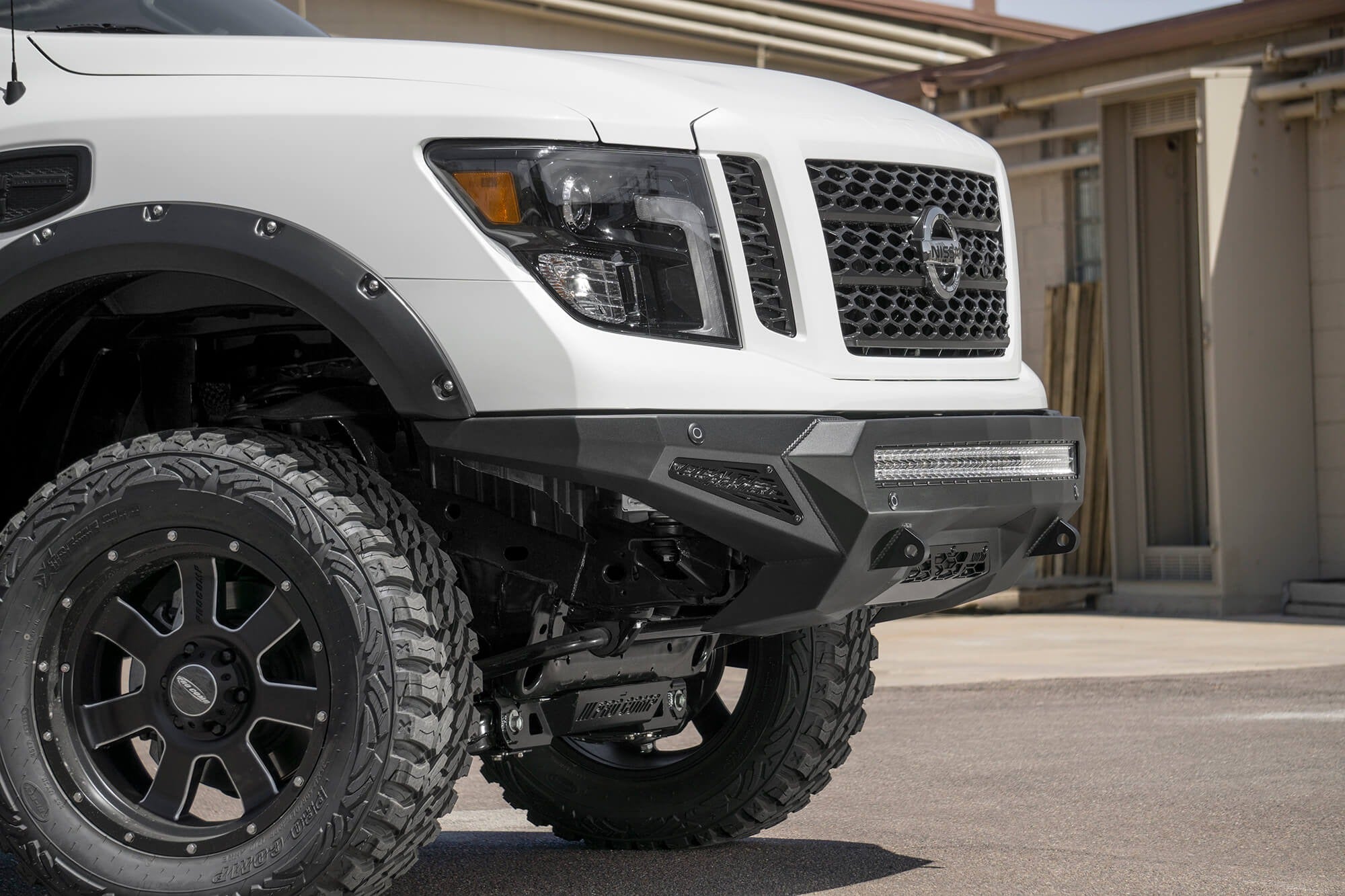
Replacing the front bumper of a 2018 Nissan Titan isn't just a cosmetic fix; it can be a crucial repair after an accident or a necessary upgrade for off-road enthusiasts. While professional installation is always an option, understanding the process empowers you to make informed decisions and potentially tackle the project yourself. This guide provides an in-depth look at the bumper replacement procedure, dissecting each step with a focus on the underlying mechanics and potential challenges.
Preparation and Safety
Before even touching a wrench, preparation is paramount. Safety is the top priority. Disconnect the negative terminal of the battery to prevent any accidental electrical shorts, especially if your Titan has features like parking sensors or fog lights integrated into the bumper. Gather your tools: a socket set (metric sizes are essential for Nissan vehicles), wrenches, a torque wrench, a flathead screwdriver, a Phillips head screwdriver, and potentially some penetrating oil. A floor jack and jack stands are crucial for safely lifting and supporting the vehicle. Consider using painter's tape to protect the surrounding body panels from scratches during the removal and installation process. Have a clean workspace ready to receive the removed bumper and hardware.
Crucially, consult your Titan's service manual. This document contains torque specifications for all fasteners, ensuring proper tightening and preventing damage. Incorrect torque can lead to loose connections or, worse, stripped threads.
Step 1: Removing the Original Bumper
The removal process typically begins with detaching any components connected to the bumper. Locate and disconnect any electrical connectors for fog lights, parking sensors, or other integrated features. These connectors often have locking tabs that need to be depressed before pulling the connector apart. Be gentle; forcing them can damage the connectors. If the bumper has any auxiliary lights, like off-road lights, take pictures of the wiring harness to properly reconnect them later.
Next, remove the plastic fasteners and screws holding the bumper cover to the inner fenders and undercarriage. These fasteners are often plastic push-pin retainers that can be carefully pried out with a flathead screwdriver. Be patient and avoid breaking them, as they're often needed for reinstallation. Some bumpers have a separate valance panel that needs to be removed first.
Locating and Removing Bumper Mounting Bolts
Now comes the core task: removing the bumper mounting bolts. These bolts connect the bumper assembly to the truck's frame. Their location varies slightly depending on the bumper style, but they are generally found on either side of the bumper, near the frame rails. Typically, there are at least two bolts per side. Soak these bolts with penetrating oil a few hours before attempting to remove them. This is especially important if the vehicle has seen exposure to road salt or harsh weather, as rust can seize the bolts. Use the correct size socket or wrench to avoid rounding off the bolt heads.
With the bolts loosened, carefully support the bumper. It's often heavier than it looks. Have a helper assist, or use a floor jack with a piece of wood to distribute the weight. Completely remove the bolts. With all fasteners removed, gently pull the bumper away from the vehicle. Be mindful of any hidden clips or wiring that may still be attached.
After removing the old bumper, inspect the mounting brackets on the truck's frame. Check for any signs of rust, damage, or deformation. If necessary, clean and treat any rust to prevent further corrosion. If the brackets are damaged, they should be replaced to ensure proper bumper alignment and secure attachment.
Step 2: Preparing the New Bumper
Unpack your new bumper and carefully inspect it for any shipping damage. Compare it to the old bumper to ensure it is the correct model and configuration. Depending on the type of bumper, you may need to transfer components from the old bumper to the new one. This can include fog lights, parking sensors, license plate brackets, and valance panels.
Install any necessary hardware or brackets onto the new bumper before mounting it to the truck. This often includes mounting brackets for auxiliary lights or winches. Refer to the new bumper's installation instructions for specific guidance. It's often easier to pre-assemble as much as possible before lifting the bumper into place.
Step 3: Installing the New Bumper
With the new bumper prepared, carefully lift it into position. Again, a helper or a floor jack can be invaluable. Align the bumper mounting holes with the corresponding holes on the truck's frame. Insert the mounting bolts and tighten them loosely by hand. This allows you to make adjustments to the bumper's alignment before fully tightening the bolts. Check the bumper's alignment relative to the fenders and hood. Ensure there are consistent gaps and that the bumper is centered on the vehicle. Once you are satisfied with the alignment, use a torque wrench to tighten the mounting bolts to the manufacturer's specified torque. This step is absolutely critical. Under-tightening can lead to a loose bumper, while over-tightening can damage the threads or the frame.
Reconnect any electrical connectors for fog lights, parking sensors, or other integrated features. Ensure the connectors are properly seated and locked to prevent them from coming loose. Test the functionality of all electrical components to verify they are working correctly. Install the plastic fasteners and screws that hold the bumper cover to the inner fenders and undercarriage. Replace any broken or damaged fasteners.
Step 4: Final Checks and Adjustments
After installing the bumper, perform a thorough inspection. Check all fasteners to ensure they are properly tightened. Verify that all electrical components are functioning correctly. Inspect the bumper's alignment and adjust as needed. Take the vehicle for a test drive to ensure there are no unusual noises or vibrations. If necessary, re-torque the mounting bolts after the test drive. Clean the bumper and surrounding area to remove any fingerprints or dirt. A wax or sealant can help protect the bumper's finish.
Common Pitfalls and Troubleshooting
Stripped Bolts: One of the most common problems is dealing with rusted or seized bolts. Applying penetrating oil well in advance is crucial. If a bolt head rounds off, try using a bolt extractor or welding a nut to the damaged bolt. As a last resort, consider cutting the bolt and replacing it.
Wiring Issues: Incorrectly connected wiring can lead to malfunctioning fog lights, parking sensors, or other electrical problems. Double-check all wiring connections and consult the wiring diagram in the service manual. If necessary, use a multimeter to test the circuits.
Alignment Problems: Improper alignment can cause the bumper to rub against the fenders or hood. Loosen the mounting bolts and make adjustments to the bumper's position. Shims can be used to fine-tune the alignment.
Sensor Malfunctions: Parking sensors are sensitive and can be affected by dirt, damage, or incorrect installation. Clean the sensors and ensure they are properly aligned. If necessary, recalibrate the sensors using a scan tool.
Aftermarket Bumper Considerations: Aftermarket bumpers, especially heavy-duty off-road bumpers, may require additional modifications to the vehicle's frame or suspension. Consult the bumper manufacturer's instructions for specific requirements. Some aftermarket bumpers may interfere with the vehicle's airbag system, so choose carefully and ensure compatibility.
Replacing a front bumper on a 2018 Nissan Titan, while a moderate undertaking, is achievable with careful planning, the right tools, and a methodical approach. By understanding the underlying mechanics and potential challenges, you can confidently navigate the process and achieve a professional-looking result. Remember, safety first, consult the service manual, and don't hesitate to seek professional assistance if needed. Good luck!