
Catalytic Converter For 2003 Nissan Xterra
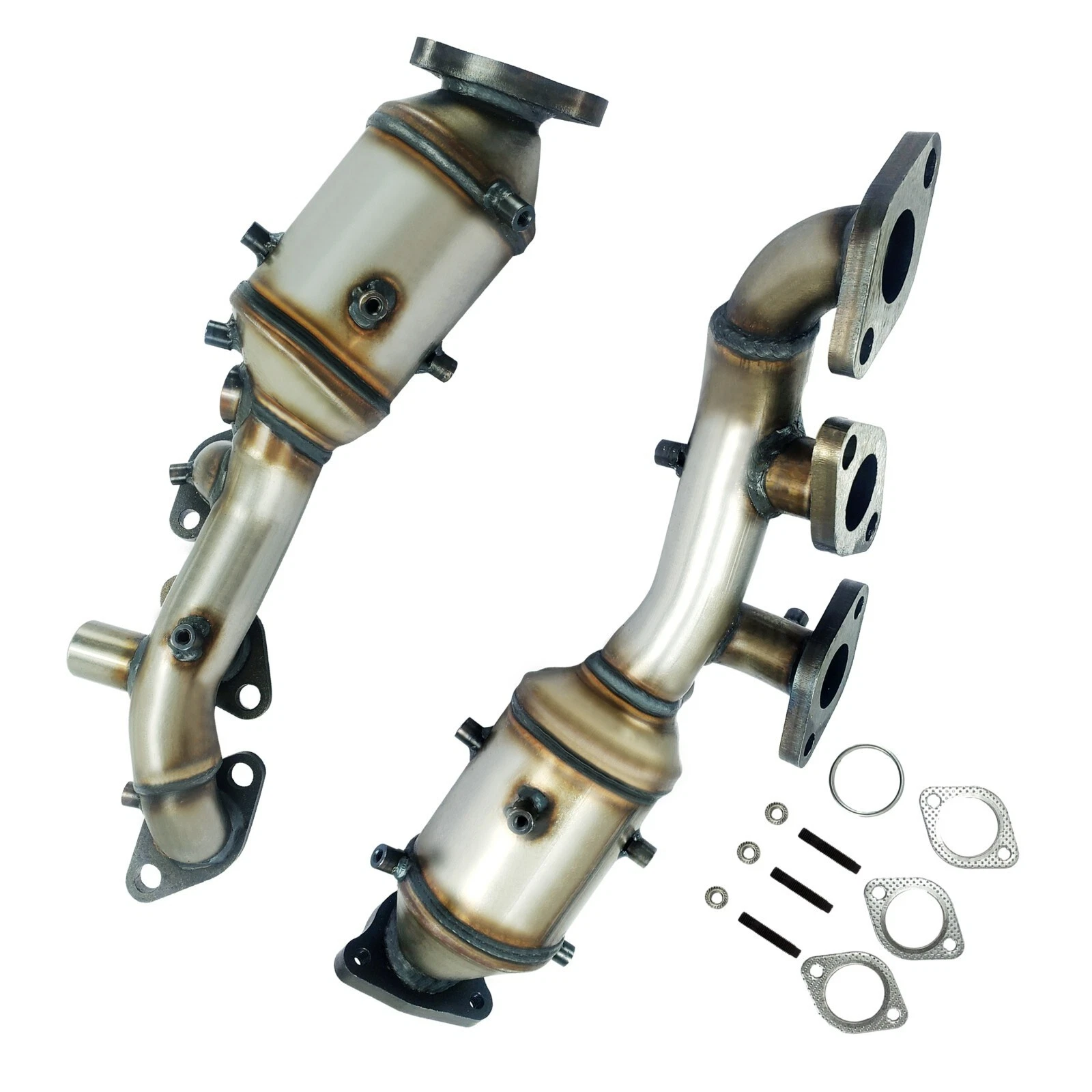
So, your 2003 Nissan Xterra isn't running quite right, and you suspect the catalytic converter. You're not alone! A failing or failed catalytic converter is a common issue on vehicles of this age. Let's break down the symptoms, diagnosis, and what you can do to get your Xterra back on the road.
Symptoms of a Failing Catalytic Converter
Before we jump into replacing the converter, let's make sure that's truly the problem. Here are the most common signs of a bad catalytic converter on your 2003 Xterra:
- Check Engine Light (CEL): This is usually the first sign. Common trouble codes associated with the catalytic converter include P0420 (Catalyst System Efficiency Below Threshold - Bank 1) and P0430 (Catalyst System Efficiency Below Threshold - Bank 2). You'll need an OBD-II scanner to read these codes.
- Reduced Engine Performance: A clogged converter restricts exhaust flow, which directly impacts engine power. You might notice sluggish acceleration, especially when going uphill or merging onto the highway.
- Poor Fuel Economy: A struggling engine often burns more fuel. If you see a significant drop in your MPG, a bad catalytic converter could be the culprit.
- Rattling Noise: The internal components of the converter can break down over time. This loose debris can cause a rattling sound, particularly noticeable at idle or when the engine is cold.
- Overheating: A severely clogged converter can cause the exhaust system to overheat, potentially damaging other components.
- Sulfur Smell (Rotten Eggs): This is a telltale sign that the converter isn't properly processing the exhaust gases.
- Failed Emissions Test: If your Xterra fails an emissions test, a faulty catalytic converter is a prime suspect.
Diagnosing the Problem
While the symptoms above can point to a bad catalytic converter, it's crucial to properly diagnose the problem before replacing it. Here's a step-by-step approach:
1. Read the OBD-II Codes:
Use an OBD-II scanner to retrieve the stored trouble codes. While P0420 and P0430 are common, other codes can indicate related issues. For example, codes related to oxygen sensors (O2 sensors) are often associated with catalytic converter problems, as the O2 sensors monitor the converter's performance. Write down all the codes.
2. Inspect the Oxygen Sensors:
The O2 sensors located before (upstream) and after (downstream) the catalytic converter are critical to its operation. A faulty O2 sensor can trigger a P0420/P0430 code even if the converter itself is still functional. Use your OBD-II scanner to check the live data from the O2 sensors. The downstream sensor should show a relatively stable voltage, while the upstream sensor fluctuates more. If both sensors fluctuate similarly, it could indicate a bad converter.
3. Visual Inspection:
Carefully inspect the catalytic converter for any physical damage, such as dents, cracks, or rust. Also, check the exhaust pipes connected to the converter for leaks. Exhaust leaks can affect the O2 sensor readings and trigger false codes.
4. Backpressure Test:
This test measures the backpressure in the exhaust system. Excessive backpressure indicates a clogged converter. You'll need a backpressure gauge that screws into the O2 sensor port. With the engine running, a healthy exhaust system should have minimal backpressure (typically under 2 psi at idle). A significantly higher reading suggests a clogged converter.
Important Safety Note: Exhaust systems get extremely hot. Allow the engine and exhaust system to cool completely before performing any inspections or tests.
5. Rule Out Other Potential Issues:
Before condemning the catalytic converter, ensure that other engine problems aren't contributing to the symptoms. Misfires, vacuum leaks, and faulty fuel injectors can all overload the converter and shorten its lifespan. Address any underlying engine issues before replacing the converter.
Consider a professional diagnosis: If you're not comfortable performing these tests yourself, take your Xterra to a trusted mechanic for a professional diagnosis. They have the tools and experience to accurately pinpoint the problem.
Replacing the Catalytic Converter
Okay, you've confirmed that the catalytic converter is indeed the problem. Here's what you need to know about replacing it:
1. Choosing a Replacement Converter:
You have a few options:
- OEM (Original Equipment Manufacturer): This is the most expensive option but guarantees a perfect fit and optimal performance. Search for the correct part number specific to your 2003 Nissan Xterra's engine (2.4L or 3.3L).
- Aftermarket (Direct-Fit): These converters are designed to directly replace the original unit. Make sure to choose a reputable brand that meets EPA (Environmental Protection Agency) standards. Look for converters that are CARB (California Air Resources Board) compliant if you live in California or a state that follows California emissions regulations.
- Universal Converter: This is the least expensive option, but it requires welding and fabrication to install. This is generally not recommended unless you have welding experience.
Important: It's illegal to install a non-compliant catalytic converter on a vehicle that requires one. Make sure the replacement converter is designed for your specific vehicle and meets all applicable emissions standards.
2. Tools Needed:
- Socket set (metric)
- Wrench set (metric)
- Penetrating oil
- Oxygen sensor socket
- Torque wrench
- Jack and jack stands
- Safety glasses
- Gloves
- (Possibly) a hacksaw or reciprocating saw for removing rusted bolts
- (Possibly) welding equipment if using a universal converter (not recommended for beginners)
3. Step-by-Step Replacement Guide:
- Safety First: Disconnect the negative battery cable. Allow the exhaust system to cool completely before starting.
- Lift the Vehicle: Use a jack and jack stands to safely lift the Xterra. Make sure the vehicle is securely supported.
- Spray Penetrating Oil: Generously spray penetrating oil on all the bolts and nuts connecting the catalytic converter to the exhaust system and oxygen sensors. Let it soak for at least 15-20 minutes. Rusted bolts can be a real pain!
- Remove the Oxygen Sensors: Carefully remove the upstream and downstream oxygen sensors using an oxygen sensor socket. Be careful not to damage the sensors if you plan to reuse them. If they're old or corroded, it's often a good idea to replace them along with the converter.
- Disconnect the Catalytic Converter: Remove the bolts connecting the catalytic converter to the exhaust manifold and the exhaust pipe. If the bolts are seized or rusted, you may need to use a hacksaw or reciprocating saw to cut them off.
- Remove the Old Converter: Carefully remove the old catalytic converter.
- Install the New Converter: Install the new catalytic converter, using new gaskets and bolts if provided. Make sure the converter is properly aligned.
- Install the Oxygen Sensors: Install the oxygen sensors, making sure they are tightened to the correct torque specification.
- Tighten the Bolts: Tighten all the bolts connecting the converter to the exhaust system to the manufacturer's torque specifications.
- Lower the Vehicle: Carefully lower the vehicle.
- Reconnect the Battery: Reconnect the negative battery cable.
- Clear the Codes: Use your OBD-II scanner to clear the trouble codes.
- Test Drive: Take the Xterra for a test drive to ensure that the problem is resolved and that there are no exhaust leaks.
Important Tips:
- Work in a well-ventilated area.
- Wear safety glasses and gloves to protect yourself.
- Don't over-tighten the bolts, as this can damage the exhaust system.
- If you're having trouble removing rusted bolts, try using a penetrating oil and a breaker bar. You can also try heating the bolts with a torch, but be extremely careful not to damage anything else.
Approximate Repair Costs
The cost of replacing a catalytic converter on a 2003 Nissan Xterra can vary depending on several factors, including:
- The type of converter: OEM converters are generally more expensive than aftermarket converters.
- The brand of converter: Some brands are more expensive than others.
- Labor costs: Labor rates vary from shop to shop.
- Location: Prices can vary depending on where you live.
Here's a rough estimate:
- Parts (Catalytic Converter): $200 - $800+ (depending on the factors mentioned above)
- Labor: $150 - $400 (depending on the complexity of the job and the shop's labor rate)
- Oxygen Sensors (if replaced): $50 - $150 per sensor
Total Estimated Cost: $400 - $1300+
Get quotes from several different shops before deciding on a repair shop. Be sure to ask for a breakdown of the costs for parts and labor.
Preventing Future Catalytic Converter Problems
Here are a few tips to help prevent catalytic converter problems in the future:
- Regular Maintenance: Keep your Xterra properly maintained, including regular oil changes, tune-ups, and air filter replacements.
- Address Engine Problems Promptly: Fix any engine problems, such as misfires or vacuum leaks, as soon as possible.
- Use High-Quality Fuel: Use high-quality fuel from a reputable gas station.
- Avoid Short Trips: Short trips can prevent the catalytic converter from reaching its optimal operating temperature, which can lead to carbon buildup.
- Don't Ignore the Check Engine Light: Address any Check Engine Light warnings immediately to prevent further damage.
Replacing a catalytic converter on your 2003 Nissan Xterra can seem daunting, but with the right information and tools, it's a manageable task. Remember to diagnose the problem correctly, choose a quality replacement converter, and follow the proper installation procedures. If you're not comfortable performing the repair yourself, don't hesitate to take your Xterra to a qualified mechanic.