
Camry 1999 Lock And Unlock Door Wiring
So, you're tackling the door lock and unlock system on your '99 Camry? Excellent! Understanding the wiring diagram is crucial whether you're chasing down a faulty actuator, installing an aftermarket alarm, or just trying to get a deeper understanding of your car's electrical system. This article will break down the Camry's door lock and unlock wiring like a seasoned mechanic would explain it to a capable DIYer. We'll go over the key components, decipher the wiring diagram symbols, and give you practical troubleshooting tips. And don't worry, we've got the full wiring diagram file available for you to download at the end.
Purpose of Understanding the Diagram
Why bother learning about this wiring? The primary reasons are:
- Repairing Faulty Components: Identifying the source of a problem, whether it's a broken wire, a malfunctioning actuator, or a bad switch, is vastly easier with the diagram.
- Aftermarket Installations: Integrating aftermarket alarms, remote start systems, or keyless entry systems requires a solid understanding of the factory wiring.
- Preventative Maintenance: Understanding how the system is wired allows you to inspect connections and identify potential problems *before* they leave you stranded.
- General Automotive Knowledge: Just plain understanding your car better! This helps you communicate more effectively with mechanics and make informed decisions about repairs.
Key Specs and Main Parts of the '99 Camry Door Lock System
Before diving into the diagram, let's identify the key players:
- Door Lock Actuators: These are small electric motors within each door that physically move the lock mechanism. These receive electrical signals from the lock switches or the security system to lock or unlock the doors.
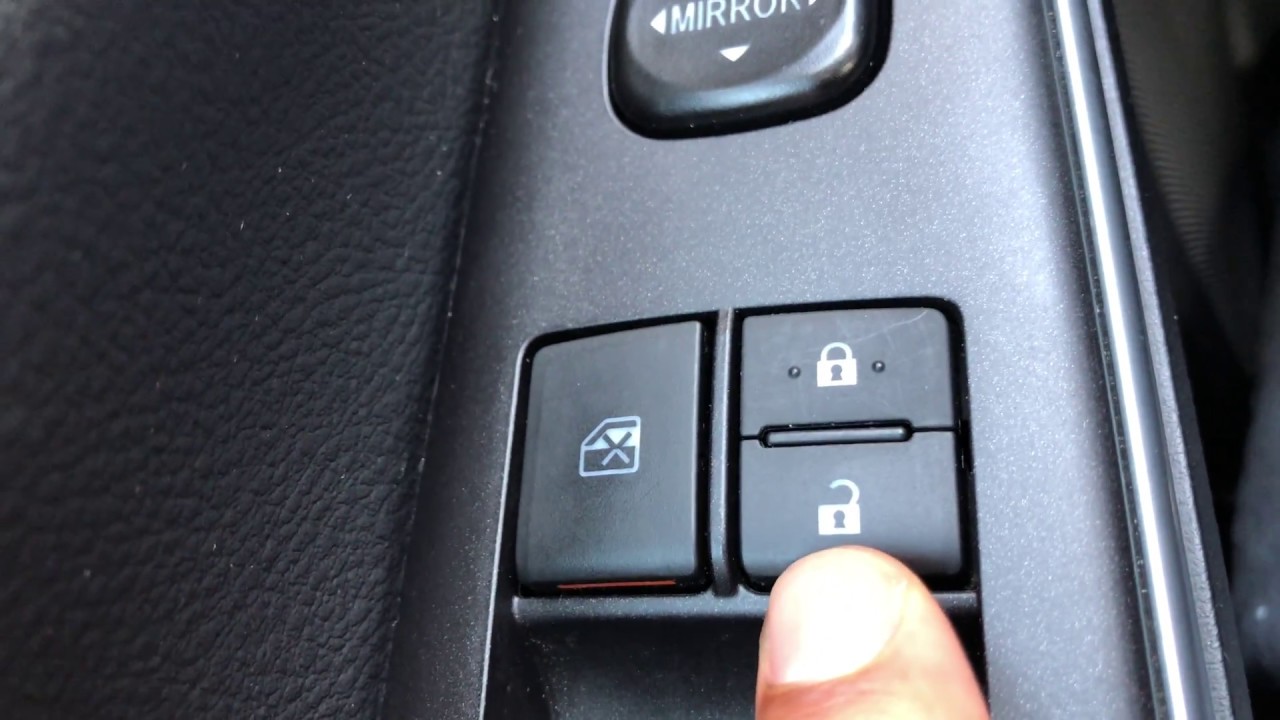
- Door Lock Switches: Located on the door panels (typically the driver's and passenger's doors), these switches allow you to manually control the door locks.
- Power Door Lock Relay (or Integration Relay): This relay acts as an intermediary, using a small control signal from the lock switches to switch a larger current to the door lock actuators. This protects the switches from excessive current draw. Sometimes integrated into a larger "integration relay" controlling multiple vehicle functions.
- Security System (if equipped): If your Camry has a factory or aftermarket security system, it will be integrated into the door lock system to remotely lock and unlock the doors, and potentially trigger the alarm if unauthorized entry is attempted.
- Wiring Harnesses: The network of wires that connect all the components together. These harnesses are often bundled and routed through the vehicle's body.
- Fuses: Protect the circuits from overcurrent. A blown fuse is often the first sign of a problem.
- Body Control Module (BCM): This module, although not always directly involved in the basic lock/unlock function, often interfaces with the system for features like automatic door locking when the car is in motion or unlocking upon airbag deployment.
Deciphering the Wiring Diagram Symbols
A wiring diagram is a visual representation of the electrical circuit. Understanding the symbols is crucial for interpretation.
- Lines: Solid lines represent wires. Dashed lines often indicate shielded wires or connections within a component. The thickness of the line doesn't usually denote wire gauge, so don't rely on that for identifying wire sizes.
- Colors: Wires are color-coded, and the diagram will use abbreviations for colors (e.g., BLK for black, RED for red, WHT for white, GRN for green, BLU for blue, YEL for yellow). Always double-check the color code on the diagram against the actual wire in your car.
- Circles with Numbers or Letters: These usually represent connector pins or terminal locations. They help you identify where specific wires connect to components.
- Rectangles: These typically represent components like switches, relays, or modules. The internal configuration of the rectangle will vary depending on the type of component.
- Ground Symbols: These indicate a connection to the vehicle's chassis ground.
- Fuse Symbols: Look for the standard fuse symbol – often a squiggly line inside a rectangle. The diagram will also specify the fuse's amperage rating (e.g., 20A).
- Actuator Symbol: The actuator motor may be represented by a circle with an 'M' inside to denote the motor, along with a description like "Door Lock Actuator."
The diagram will also include notes and annotations that provide additional information about the circuit, such as wire gauge, connector locations, and specific testing procedures.
How the '99 Camry Door Lock System Works
Here's a simplified explanation of how the system functions:
- Initiation: When you press the door lock switch on the door panel, it sends a low-current signal to the power door lock relay (or the integration relay that controls the door locks).
- Relay Activation: The relay acts as a switch. The low-current signal from the door lock switch activates the relay's electromagnet, which then closes a circuit allowing high current to flow to the door lock actuators.
- Actuator Operation: The high current flows to the door lock actuators in *all* doors. The actuators are essentially small electric motors. The direction of the current flow (polarity) determines whether the actuator locks or unlocks the door. The relay switches the polarity based on whether you pressed the lock or unlock side of the switch.
- Completion: Once the actuators have moved the lock mechanisms to the desired position, they usually have some kind of internal cutoff or stall that prevents them from continuously drawing current.
The security system (if equipped) essentially interrupts or overrides this process, sending its own signals to the relay or directly to the actuators to control the door locks.
Real-World Use: Basic Troubleshooting Tips
Here's how you can use the wiring diagram to troubleshoot common door lock problems:
- All Doors Fail to Lock/Unlock: Start by checking the fuse for the power door locks. If the fuse is blown, replace it. If it blows again immediately, there's a short circuit in the system. Use the wiring diagram to trace the wiring from the fuse to the relay and actuators, looking for damaged wires or pinched connections.
- One Door Fails to Lock/Unlock: This is often a faulty door lock actuator in that specific door. Use the wiring diagram to locate the actuator's connector and test it with a multimeter. Check for voltage when the lock/unlock switch is activated. If there's voltage but the actuator doesn't move, the actuator is likely bad. If there's no voltage, trace the wiring back to the relay, checking for breaks or loose connections.
- Door Lock Switch Doesn't Work: Use the wiring diagram to locate the switch connector. Check for voltage at the switch when the ignition is on (or in the "ACC" position, depending on the circuit design). If there's no voltage, trace the wiring back to the power source, checking for breaks or loose connections. If there is voltage, test the switch for continuity. The switch should show continuity when activated. If it doesn't, the switch is bad.
- Security System Issues: If the security system is interfering with the door locks, consult the security system's wiring diagram and troubleshooting guide. The integration point between the security system and the door lock system is a prime suspect.
Safety Considerations
Working on electrical systems can be dangerous. Here are some safety precautions:
- Disconnect the Battery: Before working on any electrical component, disconnect the negative terminal of the battery. This will prevent accidental short circuits and electrical shocks.
- Use a Multimeter: A multimeter is your best friend for diagnosing electrical problems. Learn how to use it to test for voltage, continuity, and resistance.
- Be Careful with Airbags: The door lock system may be near airbag sensors or wiring. Always consult the vehicle's service manual for proper airbag deactivation procedures *before* working near airbags. Improper handling of airbags can result in serious injury or death.
- Avoid Tampering with Security Systems: If you're not familiar with security systems, it's best to leave them to the professionals. Tampering with the security system can disable your car or cause other problems.
- Work in a Well-Lit Area: Good lighting is essential for seeing the wiring and components clearly.
Remember: Always consult the vehicle's service manual for specific procedures and warnings.
Ready to get started? We have the complete 1999 Camry door lock and unlock wiring diagram file ready for you. You can download it here.